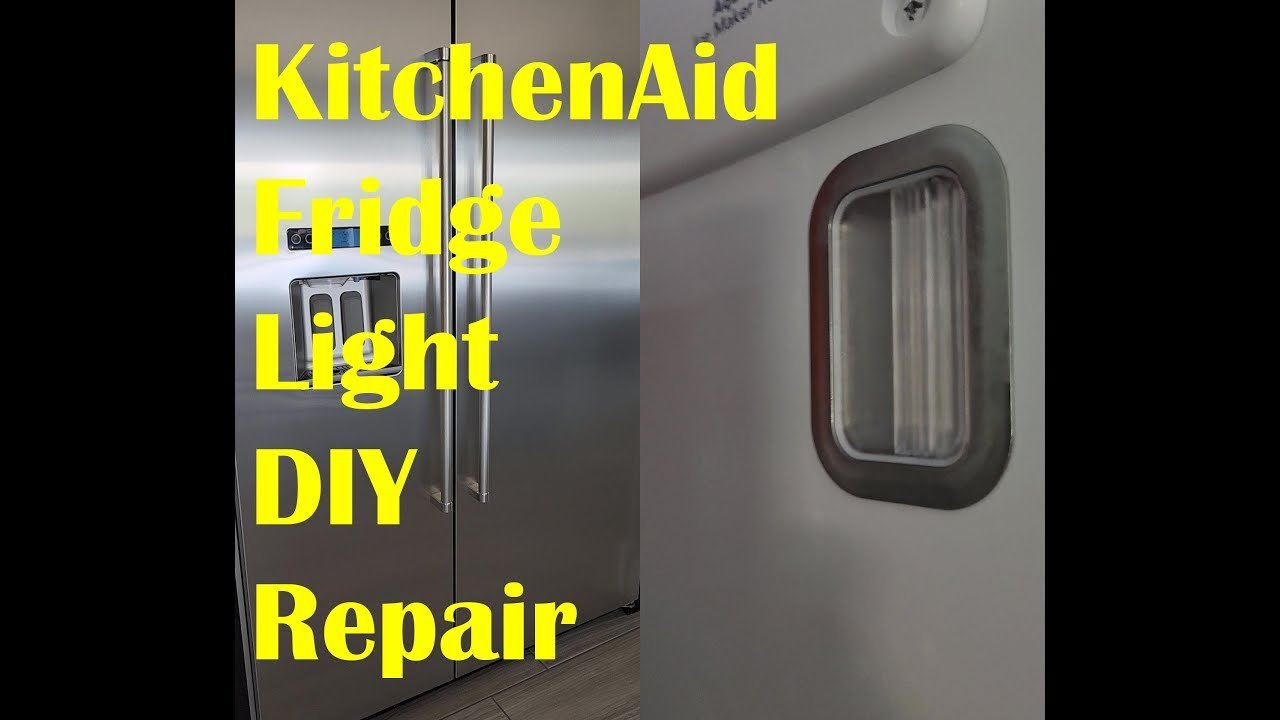
A loose light bulb is the most common reason you have a kitchenaid refrigerator light not working, though a failed control board or a tripped door switch often cause the same problem. You can usually fix the bulb yourself by tightening it or replacing it with an identical part. If the light stays off after you check the bulb, the issue likely sits within the electrical system or the door sensor. Always check the manufacturer’s official product support pages to identify your specific model’s requirements before buying parts.
Why your KitchenAid refrigerator light not working
| Cause | How common | How to confirm it | Fix it yourself? |
|---|---|---|---|
| Loose light bulb | Very common | Wiggle bulb gently | Yes |
| Burned out bulb | Common | Inspect for dark filament | Yes |
| Stuck door switch | Common | Press switch manually | Yes |
| Tripped breaker | Occasional | Check other fridge lights | Yes |
| Bad control board | Rare | Check error code display | No |
| Wiring fault | Very rare | Look for loose wires | No |
Most owners mistake a stuck door switch for a faulty bulb. If the bulb remains cold to the touch after the door has been open for five minutes, the switch is likely the culprit. Press the plunger manually; if the light flickers, the switch is simply jammed with debris.
When checking the breaker, look for the “half-dead” symptom.
If you suspect a bad control board, look for a blinking LED on the main panel. If the display is completely blank, you’re likely dealing with a power supply issue rather than a faulty board. Only attempt a board replacement if you have confirmed 120V power at the control input.
Safety: Inside a mains-powered machine, the parts behind the outer cover can hold a dangerous electrical charge even after it has been unplugged — that’s why they sit behind a cover. Opening the housing, or testing or replacing anything behind it, is a job for a qualified technician, never a home repair.
The bulb connection
A loose bulb is the most frequent culprit because vibration from the compressor can shift the connection over time. If the bulb isn’t making full contact with the socket, the circuit remains open and the light won’t turn on. To test this, reach into the socket area and gently tighten the bulb by turning it clockwise. If you feel it turn, it was likely loose. If it feels firm, remove it entirely and look at the base. A darkened glass or a broken filament inside the bulb indicates it has burned out.
If you replace the bulb, you must use the exact wattage and base type specified in your owner’s manual. Using a bulb with higher wattage than the socket rating can melt the plastic housing or damage the wiring. This varies by model — check the label on the socket or the manual for the correct part number. If you’re uncertain, take the old bulb to a hardware store to match the size and thread count. If the new bulb also fails to light, the problem isn’t the bulb itself. This task takes about five minutes. If you aren’t comfortable working with glass bulbs, wear light gloves to prevent cuts in case the bulb shatters in your hand. Never force a bulb into a socket if it doesn’t spin freely, as you might damage the internal metal tabs.
The door switch sensor
The door switch tells the refrigerator when the door is open or closed, so if this switch sticks in the “closed” position, the light will remain off even when the door is wide open. You can identify this issue by finding the small, spring-loaded button near the door frame. Press it in and release it several times to see if it moves smoothly. If the switch feels stuck or does not “click” when you press it, it’s likely the reason the light is failing.
Cleaning the switch area often clears away sticky residue or food debris that prevents the plunger from moving. Use a damp cloth to wipe around the base of the switch, but never spray water or cleaning solution directly into the mechanism. If the switch stays stuck after cleaning, it may need a replacement part. This is a common point of failure in busy kitchens where spills occur near the door seals. If you hear a faint click but the light still refuses to turn on, the internal contact point of the switch is likely worn out. If you have to replace the switch, ensure the refrigerator is unplugged first to prevent any electrical shorting. This fix is straightforward for most users, but if the wiring behind the switch appears damaged or burnt, you must stop immediately and call a professional.
The power supply and breakers
A tripped circuit breaker or a loose power cord is a simple cause that many people overlook when troubleshooting lighting issues. If your refrigerator has no power at all—meaning the display is dark and the compressor is silent—the light is simply not getting electricity. Check your home’s main breaker box to see if the switch for the kitchen appliance circuit has flipped to the “off” or “middle” position. If it has, flip it fully to “off” and then back to “on” to reset the connection.
Sometimes the refrigerator power cord isn’t pushed fully into the wall outlet, especially if the appliance was recently moved for cleaning. Reach behind the unit and ensure the plug is snug against the wall receptacle. If the outlet itself is dead, you can test it by plugging in a small lamp or a handheld device. If the device doesn’t turn on, the outlet is the problem, not your refrigerator. If the fridge is cooling but only the lights are out, the power supply to the unit is fine, and you should look back at the bulb or the door switch. Never attempt to open the electrical outlet or the refrigerator’s rear panel to access internal wiring; that’s a task for a qualified service technician.
The less likely causes
Failed control board: The main computer that manages fridge functions may stop sending power to the light circuit. A professional technician can confirm whether the board’s relay has failed. This requires a professional technician to replace the entire control module.
Damaged light socket: If the metal tabs inside the socket are corroded or flattened, they can’t conduct electricity to the bulb. Use a non-conductive tool to gently pry the center tab upward. If the plastic housing is melted or scorched, the socket must be replaced to prevent a fire hazard.
Broken internal wiring: Wires can fray or disconnect due to age or vibration. If you see visible damage near the door hinge, avoid DIY splicing; electrical shorts here can trip your home’s breaker.
Light sensor failure: Modern models use optical sensors. If these are blocked by grime, they stay off. Clean the sensor lens with a dry microfiber cloth.
What a fix usually involves
Fixing a lighting issue depends entirely on which part has failed. A simple bulb replacement requires only the cost of a new bulb and a few minutes of your time. If you need to replace a door switch, the part is usually inexpensive, but you’ll need to source it through the manufacturer to ensure it matches your specific unit. Replacing a control board is the most serious repair, as the board itself is a major component and the labor cost for a technician will make up most of the price of a new one.
Before you commit to any repair, check the official documentation that came with your unit to see if your appliance is still under a limited warranty. If it is, avoid DIY repairs that require removing panels, as this can void your coverage. If you can’t find the manual, search the manufacturer’s website using the model number found on the interior wall of your fridge. Getting a professional quote is always wise before buying expensive parts, as a technician can confirm if the issue is a simple sensor or a failing board.
Frequently asked questions
Can I use a regular LED bulb from the store?
No, you must use an appliance-rated bulb designed for refrigerators. Standard household LEDs often fail in the cold, damp environment of a fridge, and they may not fit the specific socket requirements of your unit. Check the owner’s manual or the label on the old bulb to ensure you buy an appliance-certified replacement that handles cold temperatures safely.
Why is only one light in my fridge out?
Most refrigerators have multiple light zones, and each zone often has its own bulb or light assembly. If one is out but others work, the issue is isolated to that specific bulb or its immediate socket. This confirms the main control board and power supply are working, so you only need to focus on that specific area.
Is it safe to leave the fridge light out?
Yes, it’s safe to leave the light out while you wait for a replacement. The light is purely for visibility and doesn’t affect the cooling performance or the safety of your food. You can continue to use your refrigerator as normal, though you might find it difficult to see items on the shelves.
How long does a refrigerator light usually last?
Most refrigerator lights last several years, but the lifespan varies by model and how often you open the door. Frequent door openings keep the light on for longer periods, which can shorten the life of the bulb. If your bulb burns out in only a few months, it may indicate a bad socket or a power surge in your home.
What happens if I use the wrong wattage?
Using a bulb with too high a wattage can cause excess heat, which may melt the plastic light cover or damage the internal wiring of the socket. Always match the wattage exactly to the manufacturer’s recommendation found in the manual. If you can’t find the wattage, look for the text printed on the side of the socket.
Does it matter if the fridge is full?
No, the amount of food in your refrigerator doesn’t affect the light circuit. A full fridge might make it harder to see the light or reach the bulb, but the physical load doesn’t cause the light to fail. If you have trouble reaching the bulb, remove the food items from that shelf to give yourself more room.
Final Thoughts
If these quick fixes don’t restore your interior brightness, it’s time to call a professional technician for help. They’ll safely inspect the wiring and internal components for you. Don’t let a dark fridge become a long-term headache; getting it repaired promptly will keep your food easy to find and perfectly organized.