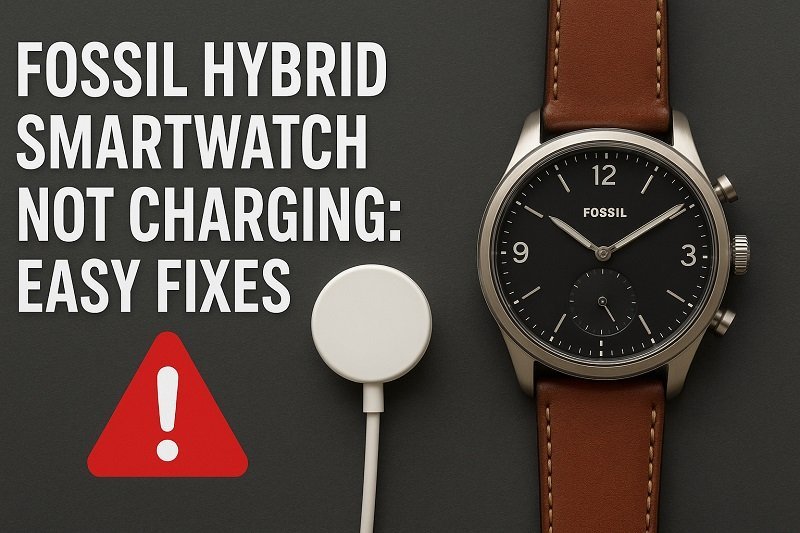
If your fossil hybrid smartwatch not charging is the issue, a dirty contact point or misaligned charger is the most common cause, which you can fix by cleaning the metal pins. Usually, the watch isn’t broken; it simply can’t complete the circuit due to sweat, dust, or oils. If cleaning fails, check your power source or perform a force restart.
Why your Fossil hybrid smartwatch not charging
| Cause | How common | How to confirm it | Fix it yourself? |
|---|---|---|---|
| Dirty contact points | Very often | Look for dark spots | Yes |
| Misaligned charger | Often | Check for magnetic pull | Yes |
| Bad USB port | Often | Try different wall brick | Yes |
| Frozen watch firmware | Sometimes | Screen stays black | Yes |
| Damaged charging cable | Rarely | Look for frayed wire | Yes |
| Dead internal battery | Rarely | No signs of life | No |
Inspect the gold pins on the back of your device under a bright light. If you see dark residue or oxidation, use a soft toothbrush dipped in 90% isopropyl alcohol to gently scrub the surface.
Misalignment occurs frequently with magnetic pucks that lack a physical locking mechanism. If the watch vibrates but fails to show a charging icon, the magnets may be fighting each other. Shift the puck slightly until the display wakes up.
If your device is unresponsive, perform a hard reset by holding the side button for fifteen seconds. If the screen flashes a logo, the firmware was simply frozen. However, if the device remains dead after a cable swap and a wall brick change, the internal battery has likely reached its chemical end of life.
Build-up on the metal contacts
The metal charging rings on the back of your watch collect microscopic layers of salt from sweat and dead skin cells. This layer acts as an insulator, preventing the electricity from flowing from the charger to the battery. If you see visible dark or cloudy spots on the gold or silver rings, you have found the problem.
To clean these, use a soft, dry microfiber cloth. If the dirt is stubborn, dampen the cloth with a tiny amount of isopropyl alcohol. Never spray liquid directly onto the watch or use abrasive tools like metal files or sandpaper. These will strip the plating and cause permanent corrosion. Once cleaned, dry the area completely before attempting to charge. This process takes about two minutes and costs nothing if you have household cleaning supplies.
If the watch still doesn’t charge after cleaning, inspect the pins on the magnetic puck. They should be spring-loaded and bounce back when you press them. If one pin is stuck in the depressed position, it can’t make contact with the watch. If X happens—the pins are stuck—do A: gently try to wiggle them free. If Y happens—the pins are broken—do B: you must replace the cable.
Power source and cable alignment
A poor power connection is the second most frequent cause of charging failure. Many people plug their watch charger into a computer USB port that doesn’t provide enough steady power to initiate the charging cycle. If you use a computer, try switching to a wall-mounted USB power adapter instead. These adapters offer a constant current that helps the watch initiate the “handshake” needed to start the power flow.
Alignment also plays a major role. Because the charger is magnetic, it should “snap” into the correct position naturally. However, if the cable is pulled tight or hanging off the edge of a table, the weight of the cord can tilt the charger just enough to break the connection. Place the watch flat on a table and let the cable rest loosely without any tension.
This is a common trade-off: you want to keep the watch visible while charging, but keeping it flat on a surface is the only way to ensure the magnets stay seated. If you’re using a third-party charger, it might lack the exact magnetic strength of the original. Stick to a standard five-volt, one-amp adapter for the safest results.
Software and firmware lockups

Sometimes the watch is fully functional but the display is frozen or the internal software has stopped responding to the charging signal. This is a mistake people often make: they assume the hardware is dead because the screen is black, when in fact the operating system is simply stuck. A forced restart often clears this state and allows the watch to recognize the charger again.
To perform a force restart, hold down the main crown button for at least fifteen to thirty seconds. You should see the watch vibrate or the screen flash to indicate it’s rebooting. Once the watch starts the reboot sequence, place it back on the charger immediately. If the watch shows a battery icon, leave it undisturbed for at least one hour.
This process assumes the watch has at least a tiny bit of residual power. If the battery is completely drained to zero, you might need to leave it on the charger for up to two hours before the screen shows any sign of life. If the watch remains black after three hours of being on the charger, the internal battery may have reached its end of life or suffered a hardware failure.
The less likely causes
- Cable fraying: Internal wires might be broken if the cable was bent sharply near the magnetic head, which you can check by looking for physical creases in the rubber.
- Wall outlet failure: The wall socket itself might have a tripped breaker, so test the adapter in a different room to rule out a localized electrical issue.
- Charging brick failure: A wall adapter can fail internally while still appearing intact, so try a different adapter from a phone or tablet.
- Hardware damage: If the watch was recently exposed to water or dropped, the internal motherboard might have shorted out, which is a professional repair job.
What a fix usually involves
Fixing a charging issue often involves simple steps that require no special training. If the problem is just a dirty contact, the cost is essentially zero, involving only a cloth and a moment of your time. If the cable is faulty, you’ll need to purchase a replacement. A new cable is a small part of the total cost of the watch, but you should always buy an official replacement from the manufacturer to avoid potential voltage issues.
When you need a new part, check the manufacturer’s website by searching for your specific model number. This number is usually printed on the back of the watch case. If you can’t find the exact part, contact the company’s support team with that number to get a real quote. Never rely on unofficial third-party sellers that promise universal compatibility, as these often lack the correct magnets or pin spacing. If the internal battery is the issue, this is a complex repair that requires specialized tools. You should contact an authorized service center for a repair estimate rather than attempting to open the casing yourself.
Frequently asked questions
Can I use any USB charger for my watch?
No, you should only use a charger that matches the power requirements listed on your watch’s original charging cable or documentation. Always check the output specifications on your wall adapter to ensure they match the recommended levels provided by the manufacturer.
How long should I leave it on the charger?
About two hours is usually enough to fully charge a depleted battery, but you should check the watch screen after the first thirty minutes. If the display remains completely black after two hours of continuous charging, the device may have a hardware fault. Always place the watch on a flat, stable surface to prevent the magnetic connection from slipping during this time.
Is it safe to leave my watch charging overnight?
Yes, modern smartwatches are designed to stop drawing power once the battery reaches full capacity to prevent overcharging. However, ensure the watch is in a cool, dry place away from heat sources or direct sunlight. If you notice the watch becoming excessively hot to the touch while charging, remove it from the charger immediately and contact the manufacturer’s support line for further advice.
What happens if I get the charging pins wet?
If the pins get wet, dry them immediately with a soft cloth and allow the watch to air dry for at least one hour before attempting to charge it again. Never use a hairdryer or place the device on a radiator to speed up the drying process. Residual moisture can cause short circuits if you apply power to the pins while they’re still damp.
Does it matter if I use a computer USB port?
Yes, it matters because many computer USB ports provide less power than a dedicated wall adapter, which can lead to very slow or incomplete charging. If your watch isn’t responding, always try a dedicated wall-mounted power brick first. This ensures the device receives the steady, consistent voltage required to wake up the internal battery and software systems properly.
Why is the magnetic charger not sticking?
The magnetic charger won’t stick if debris blocks the magnets or internal components have shifted from a drop. Inspect the watch back and charger face for metal objects or dirt preventing a firm connection. If the charger still fails to attach, the internal magnet is likely damaged and the cable requires replacement.
Final Thoughts
If these simple adjustments don’t get your device powered up, it’s time to reach out to Fossil’s support team. They’ll help you determine if there’s a deeper hardware issue at play. Don’t worry, as they’re usually quick to help you get back on track with your daily activity tracking.