
The most common reason for an amazfit smartwatch not charging is debris or oxidation on the metal contact points on the back of the watch. If your device fails to power up, clean the charging pins with a soft, dry cloth or a cotton swab lightly dipped in rubbing alcohol. This removes the thin layer of grime that prevents the electrical current from flowing between the base and the watch. Avoid using metal tools, as these can scratch the plating and cause permanent damage to the charging circuit.
Troubleshooting an Amazfit smartwatch not charging
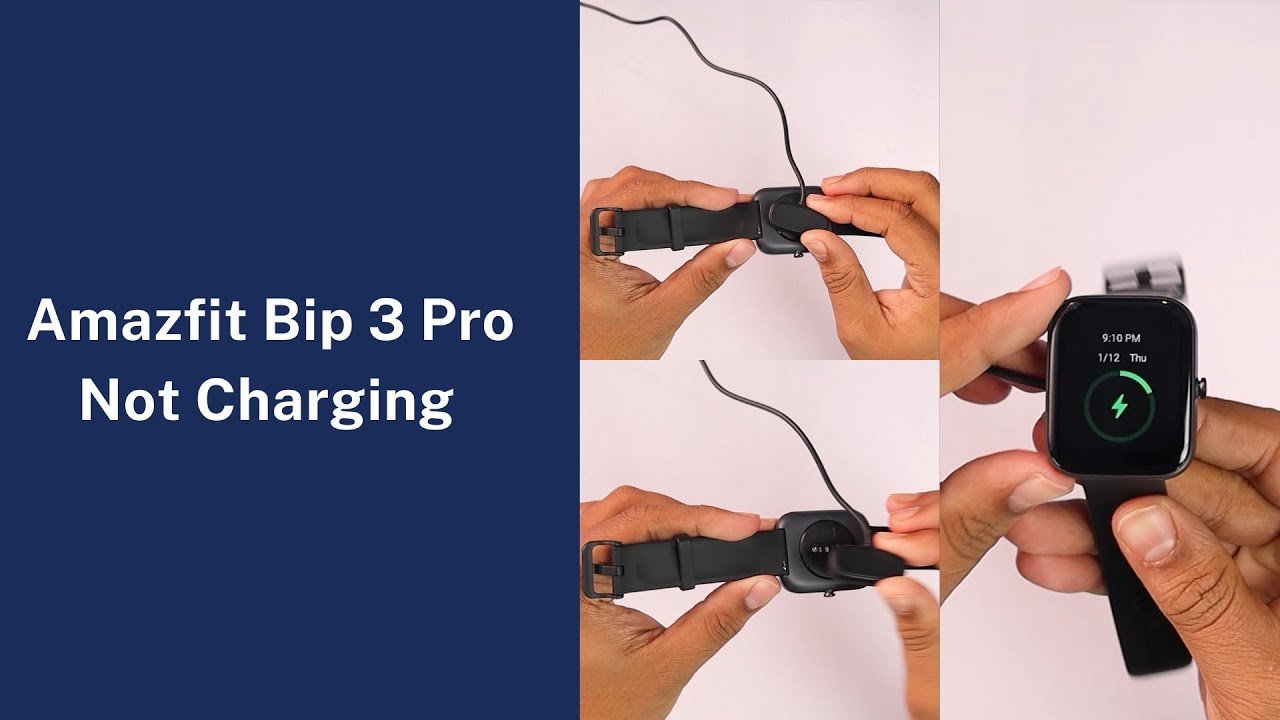
The charging process relies on a direct physical connection between the pins on the charging dock and the gold-colored contact pads on the watch. Over time, these pads collect sweat, skin oils, and microscopic dust. Because these watches are often worn during workouts, the salt in your sweat can lead to minor oxidation, which acts as an insulator rather than a conductor.
Another frequent cause is a faulty power source. Many users plug their charging cable into a computer port or a generic wall adapter that doesn’t provide the steady voltage required. If the power source is intermittent or too weak, the internal battery management system of the watch will refuse to initiate a charge to protect the battery from damage. You should also verify that the cable itself isn’t damaged. Look for bent pins on the dock or frayed wires near the plug. If the cable has been bent at a sharp angle repeatedly, the internal copper wires may have snapped.
This varies by model — check the label on your specific watch or the official Amazfit support documentation to see if your device requires a specific voltage or amperage. If your charger is older than one year, the spring-loaded pins inside the dock may have lost their tension, meaning they no longer press firmly enough against the watch to complete the circuit.
Clean the contact points
This fix is for anyone who wears their watch daily, especially during exercise. Use a soft, dry microfiber cloth to wipe the back of the watch. If the gunk is stubborn, use a cotton swab with a tiny amount of isopropyl alcohol. Don’t soak the watch or the pins. Gently rub the metal pads until they look shiny and bright again.
If you have a charging dock with spring-loaded pins, check that each pin moves freely. Use a toothpick to gently push on them one by one. If one pin stays stuck in the down position, it can’t make contact with the watch. If you find a stuck pin, you may need a replacement cable, as these are rarely repairable by the user.
If you’re wondering if it worked, plug the cable into a known-working USB power adapter and place the watch on the dock. Wait at least 15 minutes. Even if the battery is completely dead, most models will show a charging icon on the screen within a few minutes of receiving power. If the screen remains black after 15 minutes, the issue is likely the cable or the power brick, not the watch itself. If you lack the proper tools or the pins remain stuck, don’t attempt to pry the housing open, as this voids the warranty and poses a risk of battery puncture.
Change the power source
If cleaning didn’t work, the problem is often the wall adapter or the USB port. Many people use a laptop port, but these often supply less power than a dedicated wall plug. If you’re using a laptop, have a technician test your power source or switch to a dedicated wall adapter.
If you have multiple USB chargers at home, test the cable with a different one. A trade-off here is that some fast-charging adapters for phones provide too much power, which can trigger a safety shutdown in smaller wearable devices. If you have a choice, use a standard, older wall plug rather than a high-wattage “super-fast” charger.
If the watch begins to charge with a different adapter, your original power brick is likely failing. If it still doesn’t charge, the cable is the most probable point of failure. If you’re unsure about the power ratings, look at the fine print on the adapter itself. If the numbers don’t match the requirements listed in your watch manual, stop using that adapter immediately to avoid damaging the internal charging controller.
Reset the device
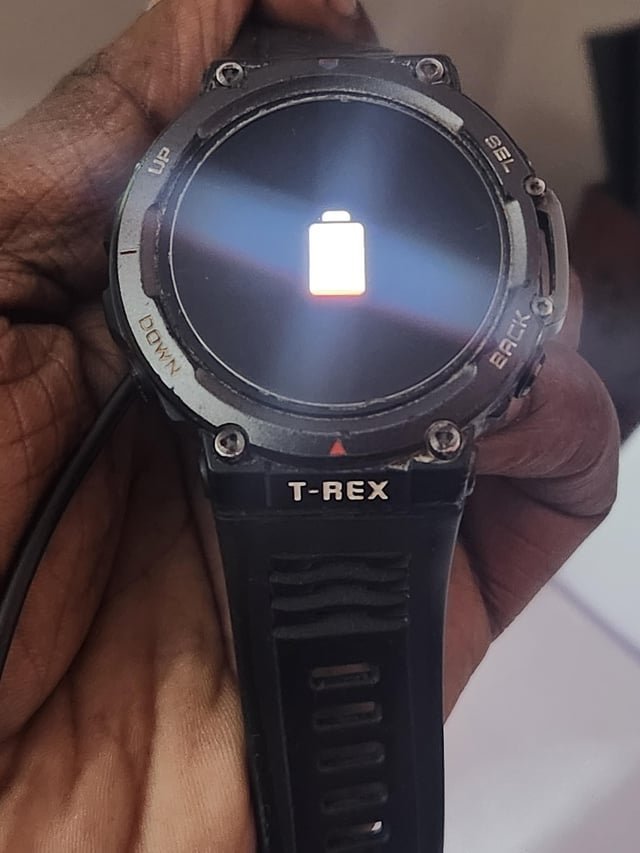
For software-related glitches, a forced restart can sometimes wake up a controller that has frozen during the charging handshake. This is worth the effort if your watch is clearly clean and the charger is known to work, but the device still ignores the connection.
To perform a forced restart, press and hold the physical crown or side button for 15 to 20 seconds. Keep holding it even if the screen flashes. If the watch has enough residual power, it should show the logo and reboot. Once it turns back on, place it on the charger again.
This isn’t for cases where the battery is physically damaged or swollen. If you notice the watch case bulging or the screen separating from the frame, stop immediately. A swollen battery is a fire hazard and requires professional disposal or manufacturer service. If you aren’t comfortable handling a device with a suspected battery fault, contact the manufacturer’s support team directly. They can provide instructions on how to return the device for service or safe recycling.
What not to do
- Don’t use metal objects to scrape the pins. This removes the protective gold plating and will cause the contacts to rust much faster in the future.
- Don’t submerge the watch in water to clean it. While many models are water-resistant, forcing liquid into the charging port or contact area when the device is already having power issues can cause a short circuit.
- Don’t leave the watch on a charger for days if it isn’t charging. If the internal controller is faulty, leaving it connected can generate excess heat, which damages the battery chemistry.
- Don’t try to disassemble the watch housing. A capacitor can hold a lethal charge unplugged, and you’ll certainly destroy the internal seals that keep the watch waterproof.
How to stop it happening again
Consistency is the best way to prevent charging issues. You should establish a routine where you wipe the back of the watch every time you take it off to shower or go to bed.
| If you’re doing this | Do this instead | Why |
|---|---|---|
| Charging at your desk | Use a dedicated wall outlet | Keeps voltage stable |
| Cleaning with soap | Use a dry cloth or alcohol | Soap leaves a film |
| Storing for weeks | Charge to 50% first | Prevents deep discharge |
| Bending the cable | Use a cable organizer | Prevents wire snapping |
Many users mistakenly believe that any USB port provides enough power. If your watch charges slower than usual, have a technician inspect your power source. A laptop port often outputs insufficient power, so you should use a dedicated wall brick instead.
If you notice the watch getting hot while charging, stop immediately. This usually signals a buildup of grime on the contact pins. Use a soft, lint-free cloth to buff the metal points until they shine. If they remain dull, a tiny drop of isopropyl alcohol on a cotton swab will dissolve the residue. If you see green corrosion, the seal is compromised and the unit requires professional service.
Frequently asked questions

Can I use a generic charger?
You should only use the official charging cable designed for your specific model. The pin layout and voltage requirements are unique to your watch. Using a third-party cable may cause the battery to fail or damage the motherboard.
Why is my watch screen black when charging?
Your watch likely requires a longer recovery time because the battery is completely drained. Leave the device on the charger for at least 30 minutes. If the screen remains black, ensure the contacts are clean and the watch is sitting perfectly flat on the dock.
How long does a full charge take?
A full charge typically takes between 90 and 120 minutes in a room-temperature environment. The watch will automatically stop charging if it becomes too hot or cold to protect the battery. Wait for the device to reach room temperature before charging.
Is it safe to charge overnight?
Modern smartwatches have built-in circuits that stop the flow of electricity once the battery reaches 100 percent. To ensure safety, use a high-quality, certified wall adapter from a reputable brand. This prevents potential overheating issues caused by faulty or non-standard charging equipment.
What happens if I leave my watch empty for months?
If left uncharged for months, the battery may enter a deep discharge state that the charging circuit can’t recognize. Leaving the device on the charger for 24 hours can sometimes restore power. If it fails to start, the battery has reached its lifespan and requires professional replacement.
Final Thoughts
If these simple adjustments don’t get your screen glowing again, reach out to the manufacturer’s support team. They’ll help you determine if it’s a hardware issue covered by your warranty. Don’t worry, as they’re usually happy to assist you in getting your device back on your wrist where it belongs.
Related guides


