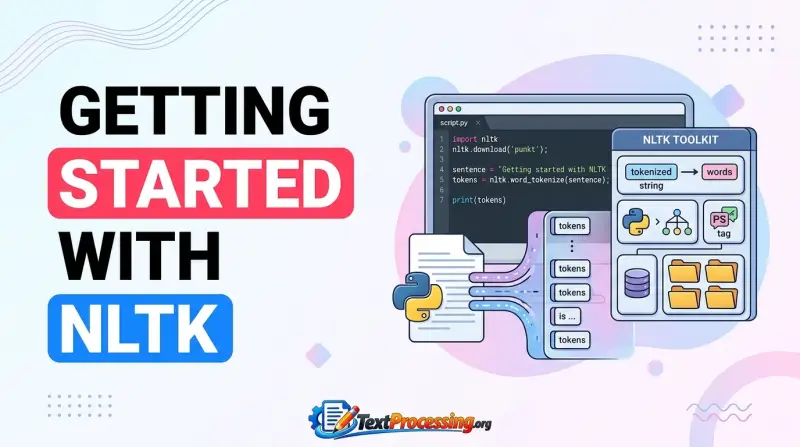
If you’ve ever wondered how computers understand and work with human language, the Open Source Text Processing Project NLTK is your perfect starting point. NLTK, or the Natural Language Toolkit, is a free and powerful Python library that makes it easy for you to analyze, process, and manipulate text data.
Whether you’re a student, developer, or data enthusiast, NLTK gives you the tools to dive deep into language processing without getting overwhelmed. By the end of this article, you’ll see how NLTK can unlock new possibilities for your projects, making complex text tasks feel simple and accessible.
Ready to transform your text data skills? Let’s explore what NLTK has to offer.
What Is Nltk
The Natural Language Toolkit, or NLTK, is a powerful open-source library for text processing in Python. It helps computers understand human language by providing tools and resources. NLTK supports many tasks in natural language processing, making it a popular choice for beginners and experts alike.
This toolkit includes modules for tokenizing, tagging, parsing, and semantic reasoning. It also offers easy access to various linguistic data sets. NLTK aims to simplify the study and development of language technology.
Core Features
NLTK offers a wide range of features for text analysis. It can break down text into words or sentences, a process called tokenization. It tags words with their parts of speech, such as nouns or verbs. NLTK also supports parsing to understand sentence structure.
The library includes tools for stemming and lemmatization, which reduce words to their base forms. It provides access to lexical resources like WordNet for semantic analysis. Users can build classifiers to categorize text and perform sentiment analysis.
Supported Platforms
NLTK runs smoothly on major operating systems. It works on Windows, macOS, and Linux. This broad support ensures many users can install and use NLTK easily. The library requires Python, which is available on all these platforms.
Installation is simple using package managers like pip. NLTK is lightweight, so it runs well on most computers. This makes it accessible for students, researchers, and developers worldwide.
Open Source Community
NLTK is a free, open-source project. It is maintained by a vibrant community of contributors. Developers, linguists, and educators collaborate to improve its features and fix bugs. This collaboration helps NLTK stay up to date with new research.
The community offers extensive documentation and tutorials for users. They also share datasets and code examples to help learners. Being open source means anyone can use, modify, and share NLTK without cost.

Credit: www.amazon.com
Installing Nltk
Installing NLTK is the first step to start processing text data. This open source toolkit works well on Windows, macOS, and Linux. The installation is simple and quick. It requires Python and pip, the package installer. Below are clear instructions for each operating system to get NLTK up and running.
Setup On Windows
Open the Command Prompt by typing “cmd” in the search bar. Verify Python is installed by running python --version. If Python is missing, download it from python.org and install it first.
Next, install NLTK by typing pip install nltk and pressing Enter. Wait for the installation to complete. Open Python by typing python. Import NLTK using import nltk to check if it loads without errors.
Download NLTK data by running nltk.download(). The NLTK Downloader window will open. Choose the packages you want or select “all” to download everything.
Setup On Macos
Open the Terminal app from Applications or Spotlight. Check for Python by typing python3 --version. If Python is missing, install it through Homebrew with brew install python.
Install NLTK by typing pip3 install nltk. After installation, launch Python with python3 and import NLTK using import nltk. Confirm there are no errors.
Run nltk.download() to open the Downloader. Select the datasets you need or download all for full access to NLTK resources.
Setup On Linux
Open the Terminal window. Check Python with python3 --version. Install Python if missing using your distro’s package manager, such as sudo apt install python3.
Type pip3 install nltk to install the package. Start Python by typing python3. Import NLTK with import nltk to ensure it works correctly.
Execute nltk.download() to open the NLTK Downloader. Pick the needed data sets or download all to access complete NLTK tools and corpora.
Nltk Basics
The Natural Language Toolkit (NLTK) is a key tool for text processing. It helps break down and analyze text data. Beginners find it user-friendly. It supports many tasks in natural language processing.
This section covers NLTK basics. You will learn core techniques to handle text data. These skills form the foundation for more advanced text analysis.
Tokenization Techniques
Tokenization splits text into smaller parts called tokens. Tokens can be words, sentences, or symbols. NLTK offers simple methods to tokenize text quickly.
Word tokenization breaks text into words. Sentence tokenization divides text into sentences. Both are easy to use with NLTK functions.
Text Normalization
Text normalization cleans and standardizes text data. It fixes case differences by converting all text to lowercase. This step helps make words uniform.
Normalization also removes punctuation and extra spaces. These changes improve text quality for analysis. NLTK provides tools to perform normalization efficiently.
Stopwords Removal
Stopwords are common words with little meaning, like “the” and “and.” Removing them helps focus on important words. NLTK includes a list of stopwords for many languages.
Eliminating stopwords reduces noise in the data. It makes analysis more accurate. NLTK’s easy-to-use functions remove stopwords from your text.
Working With Corpora
Working with corpora is a core part of using the NLTK library. Corpora are collections of text used for analysis and language processing. NLTK provides many built-in corpora to explore language patterns easily. Users can also load their own custom corpora for specific projects. Both options make text analysis flexible and powerful.
Accessing Built-in Corpora
NLTK includes several built-in corpora, such as movie reviews, names, and WordNet. These corpora are ready to use after downloading the NLTK data package. Accessing them is simple with just a few lines of code.
For example, to load the Gutenberg corpus, import it from NLTK and call its file IDs. Then, you can read the text and perform various analyses like word frequency or concordance. This saves time and effort in gathering text data.
Loading Custom Corpora
NLTK also allows loading custom corpora from local files or directories. This feature lets you analyze specialized text collections. To load a custom corpus, organize your text files in a folder.
Use NLTK’s PlaintextCorpusReader to read these files. This reader treats each file as a separate document. After loading, you can apply all usual text processing functions. Custom corpora help tailor analysis to unique needs or languages.
Text Processing Tools
Troubleshooting is a key part of working with NLTK. Problems can slow down your projects or cause errors. Knowing common issues and how to fix them saves time. It also improves your results and makes your work smoother.
This section covers typical NLTK errors and ways to boost performance. Follow these tips to handle issues quickly and get the best from NLTK.
Common Errors
One frequent error is missing data packages. NLTK often requires downloading extra resources. Use nltk.download() to fetch needed data. Check that your internet connection is stable during download.
Another issue is version conflicts. Different Python or NLTK versions may cause incompatibility. Verify your installed versions match the project requirements. Use pip show nltk to check NLTK version.
Syntax errors can happen if you mistype code. Review your script carefully for typos or wrong function calls. Follow NLTK documentation for correct usage.
Performance Optimization
NLTK can be slow with large text files. Limit processing by selecting only needed text parts. Use smaller sample data for testing code.
Use built-in NLTK functions that are optimized for speed. Avoid writing custom loops that process words one by one.
Cache results from heavy computations. Store intermediate outputs to skip repeated processing. This saves time on reruns.
Consider running NLTK scripts on machines with more memory and CPU power. Better hardware improves processing speed significantly.

Credit: openteams.com

Credit: www.amazon.com
Frequently Asked Questions
What Is Nltk In Text Processing?
NLTK stands for Natural Language Toolkit. It is a free, open-source library for Python. It helps process and analyze human language data easily.
How Does Nltk Support Natural Language Processing?
NLTK provides tools like tokenization, tagging, and parsing. These help computers understand and work with text. It also includes datasets for research and learning.
Who Can Use The Nltk Library?
Anyone interested in text analysis or language processing can use NLTK. It is great for students, researchers, and developers. No advanced programming skills are needed to start.
Which Operating Systems Support Nltk?
NLTK works on Windows, macOS, and Linux. It is compatible with most Python environments. This makes it accessible to many users worldwide.
Why Choose Nltk For Open Source Projects?
NLTK is community-driven and regularly updated. It offers many tutorials and documentation for easy learning. Plus, it is free to use for all projects.
Conclusion
NLTK offers a simple way to explore text processing with Python. It works on many systems like Windows, macOS, and Linux. Users can access many tools and data sets to analyze language. The community supports and updates it regularly. Beginners and experts find it helpful for learning and projects.
Open source means anyone can use and improve it freely. This makes NLTK a strong choice for natural language tasks. Try it to see how it can help your text analysis.