A dirty or misaligned charging ring is the most common reason for a fossil gen 6 smartwatch not charging, and you can usually resolve this by cleaning the contacts with a soft, dry cloth. This issue happens in a large number of cases where small amounts of sweat, skin oil, or debris build up on the back of the watch. If the device still doesn’t show the charging icon after a quick wipe, verify that your wall adapter meets the official Fossil power requirements to ensure a stable current.
Why your Fossil Gen 6 smartwatch not charging
| Cause | How common | How to confirm it | Fix it yourself? |
|---|---|---|---|
| Dirty contact rings | Very common | Visible grime on rings | Yes |
| Misaligned magnet | Common | Watch shifts on dock | Yes |
| Faulty wall adapter | Frequent | Use a different port | Yes |
| Damaged charging cable | Occasional | Frays on the wire | Yes |
| Software freeze | Occasional | Watch screen is black | Yes |
| Battery failure | Very rare | Watch is very old | No |
Most users mistake a software freeze for a hardware failure. If your screen remains dark despite a clean connection, hold both the side button and the Digital Crown for ten seconds. If the Fossil logo appears, you have successfully restarted the device.
If your watch feels warm to the touch while charging, stop immediately. Heat suggests a short circuit in the cable rather than a charging block issue. Use only high-quality charging cables recommended by the manufacturer. These cheap alternatives often fluctuate in voltage, which can permanently fry the internal power management chip.
When the device is older, battery degradation is the likely culprit.
Debris on the charging rings
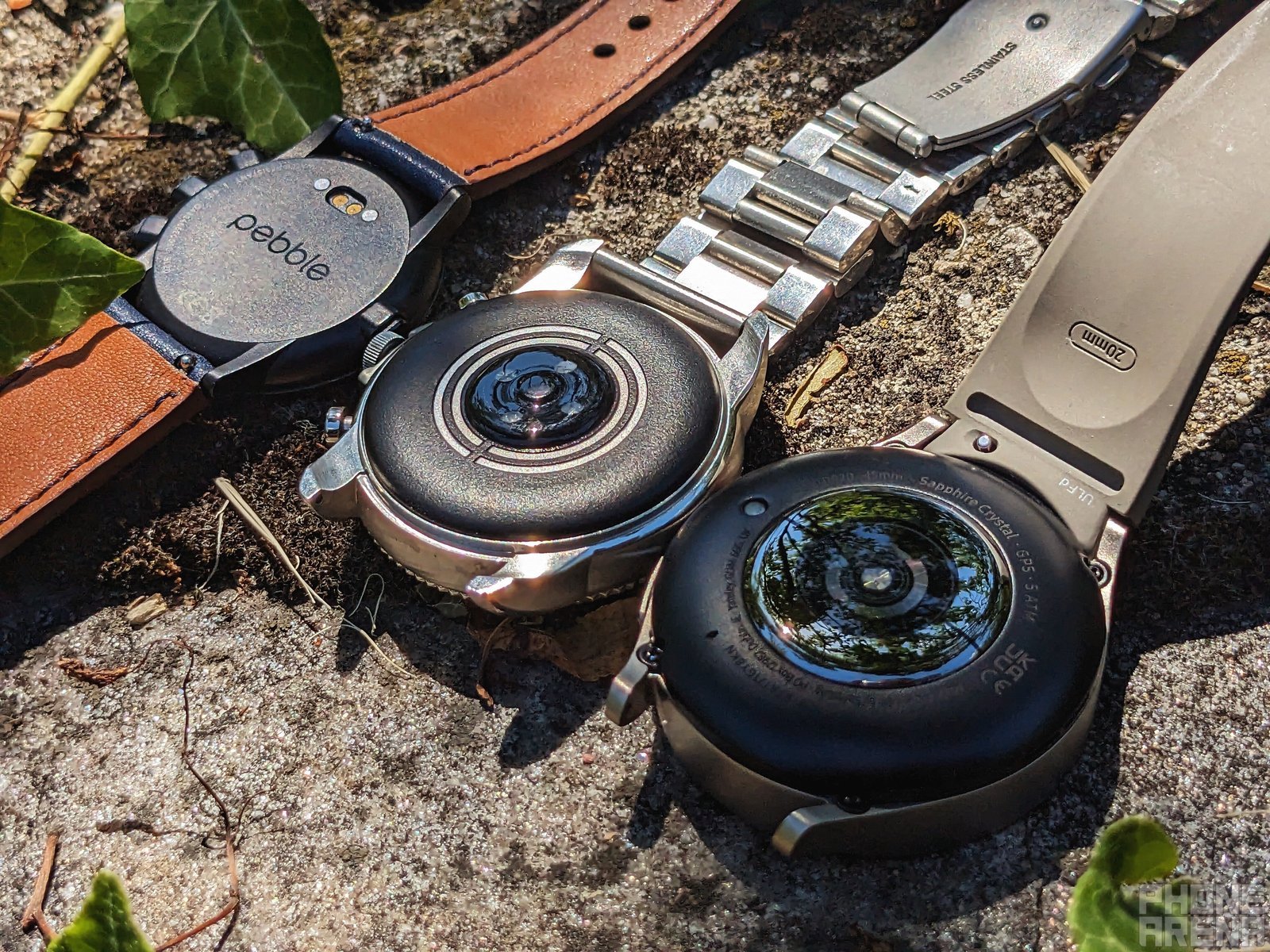
Small particles of dust or dried sweat create a barrier that stops the pins on the charger from making a solid electrical connection. Even a thin layer of skin oil can block the flow of power, which is why your watch may sit on the base for hours without gaining a single percentage point. You should inspect the four gold-colored rings on the back of the watch housing under a bright light. If you see dark spots or a hazy film, the connection is likely compromised.
To fix this, use a clean, dry, lint-free cloth to gently buff the metal rings. If the grime is stubborn, you can use a small amount of isopropyl alcohol on the cloth, but never spray liquid directly onto the watch or submerge the device in any cleaner. Once the rings look shiny and clear, place the watch back on the magnetic puck. If you notice the watch is warm to the touch, let it cool for about 10 minutes before trying again, as high heat can trigger a safety stop in the battery management system. This process takes about 5 minutes. If you have been using the same cable for over a year, check the pins on the charging puck for small, spring-loaded movement. If one pin looks stuck or pushed in permanently, the charger itself has failed and requires a replacement.
Misalignment of the magnetic dock
The magnetic ring on the charger is designed to snap the watch into the perfect position, but it’s easy to accidentally nudge the watch off-center while setting it down. Because the charging pins are small, even a slight shift of 2 or 3 millimeters can move the pins away from the metal contact rings. You’ll know this is the issue if the watch vibrates or displays a charging icon for a second, but then the screen goes dark or the icon disappears shortly after you let go.
To ensure a proper connection, place the watch on the charger and wait for the screen to light up with the charging indicator. If it doesn’t appear immediately, slightly rotate the watch on the dock to find the “sweet spot” where the magnets pull it firmly into place. If you use a third-party stand or a protective case, remove the case entirely to ensure the watch sits flush against the puck. This varies by model — check the label on your watch back to see if your specific strap design prevents the watch from laying flat. If the watch consistently fails to hold a charge while sitting on a flat surface, the issue is likely the charging cable’s internal wiring or a weak magnetic pull. If you’re using a non-original cable, ensure it’s rated for the specific voltage required by your device, as lower-quality cables often lack the necessary output to trigger the charging circuit.
Insufficient power from the wall adapter

Smartwatches require a consistent, low-voltage power supply to initiate the charging process, and many modern high-speed phone chargers aren’t compatible. This is a common mistake that costs users hours of troubleshooting time.
If your watch isn’t responding, switch to a standard wall adapter that provides a steady 5-volt output. Avoid using USB hubs, keyboards, or monitor ports, as these often provide inconsistent power that drops below the threshold needed for a stable charge. Plug the adapter directly into a wall outlet and leave the watch undisturbed for at least 30 minutes. If the watch was completely drained, it may take up to 15 minutes before the screen shows any sign of life. If you have another compatible device, test the wall adapter with that item to confirm the block is actually working. If the adapter works for another device but the watch still refuses to charge, the fault lies with the watch battery or the cable. If the battery is completely dead, wait the full 30 minutes before deciding the hardware is broken. Always check the official documentation for your specific model, as some versions require a specific amperage range that’s printed on the original charging brick.
The less likely causes
- Software hang: A temporary system crash can stop the charging animation from showing, so try holding the side button for 15 seconds to force a restart.
- Deep discharge: Leaving the watch uncharged for several weeks can cause the battery to enter a low-voltage state that requires a longer, steady trickle charge to recover.
- Damaged pins: If the small gold pins on your charging puck are bent or corroded, they can’t make electrical contact with the watch.
- Hardware failure: If you have tried a different cable and a known-good wall adapter, the internal battery or power management chip may be at the end of its life.
- Professional repair: If the device remains unresponsive after these steps, contact an authorized repair center, as opening the watch casing yourself will void your warranty and may cause damage.
What a fix usually involves
Fixing a charging issue often involves nothing more than a few minutes of cleaning or swapping to a different power source. If your charging cable is the culprit, you’ll need a replacement, which is a small part that you can order directly from the manufacturer’s website. The cost for a new cable is usually a fraction of the price of a new watch. If the internal battery is the issue, the repair is more involved and may require a professional technician. Prices for professional battery replacements vary by region and service center; always ask for a written quote before agreeing to the work. To get an accurate price for your specific model, visit the official support page for your watch, where you can find the current costs for parts and authorized repair services. Never attempt to open the watch casing yourself, as this can lead to permanent damage and will void any remaining coverage you have on the device.
Frequently asked questions
Can I use a phone charger for my watch?
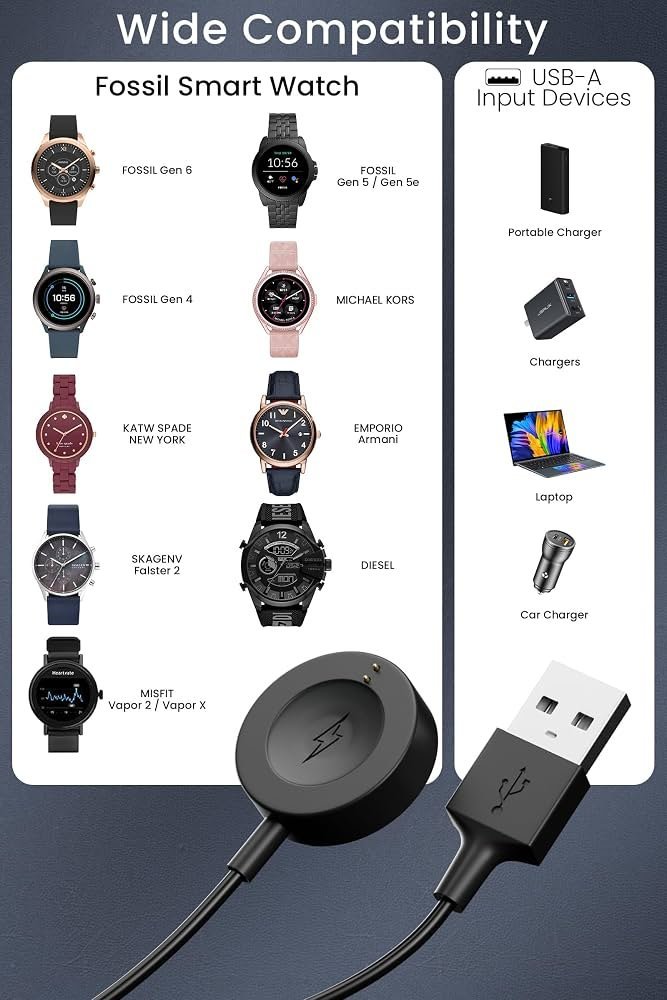
Yes, you can use a phone charger, but it must be a standard 5-volt adapter. Many modern “fast chargers” or high-wattage blocks aren’t compatible with the specific power needs of a smartwatch. If you find your watch isn’t charging, always try a basic, low-power wall block instead of a high-speed port to ensure the connection remains stable and safe for the battery.
How long should I leave it on the charger?
You should leave the watch on the charger for at least 30 minutes if it’s completely dead. A battery that has been drained to zero requires a period of low-current charging before the system can fully power on. If you don’t see an icon after 30 minutes, double-check that your charging pins are clean and the cable is firmly plugged into a wall outlet.
Is it safe to clean the charging rings?
Yes, it’s safe to clean the rings if you use a soft, dry, lint-free cloth. Don’t use metal tools, sharp objects, or abrasive sponges, as these can scratch the gold plating and ruin the connection. If you need a deeper clean, use a small amount of isopropyl alcohol on a cotton swab and wipe gently, ensuring the area is completely dry before charging.
What happens if I use a damaged cable?
Using a damaged cable can cause intermittent charging or, in some cases, damage the watch’s power management system. If the wire is frayed or the pins on the magnetic puck are stuck, you should stop using it immediately. A faulty cable often causes the watch to vibrate repeatedly as it loses and regains the connection, which can eventually lead to a permanent failure.
Does the watch temperature matter?
Yes, the watch will stop charging if it gets too hot to protect the battery. If you notice the watch is warm to the touch, remove it from the charger and let it sit in a cool, shaded area for 10 to 15 minutes. Once the device reaches room temperature, you can place it back on the charger to resume the process.
Final Thoughts
If your watch still won’t power up after these checks, don’t worry. It’s possible the charging cable itself is faulty or the battery has reached its limit. Reach out to Fossil’s support team through their website; they’ll help you figure out if you’re eligible for a replacement or a professional repair.
Related guides