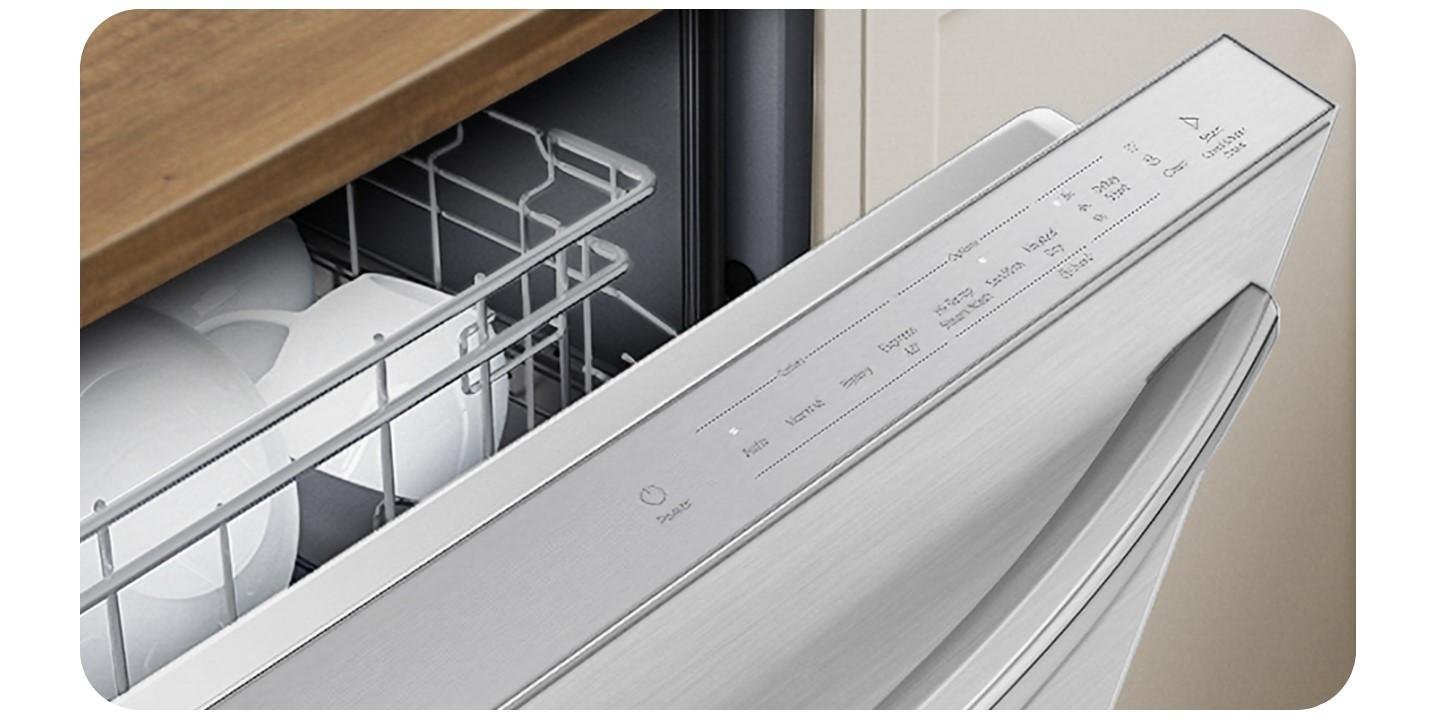
The Samsung dishwasher express 60 light blinking indicates a detected water leak or a drainage issue that has triggered the unit’s safety sensor. You should immediately turn off the water supply valve under your sink and cut power to the machine at the circuit breaker to prevent potential floor damage or electrical hazards. To confirm this, pull the dishwasher out from the cabinet and inspect the base tray for standing water; if the tray is dry, the issue may be a faulty sensor or a control board error rather than an actual leak.
Fixing a Samsung dishwasher express 60 light blinking
| What you notice | What it usually means | What to do first |
|---|---|---|
| Water under the unit | A physical leak exists | Check all hose connections |
| Drain hose is kinked | Water can’t exit properly | Straighten the drain line |
| No water in tray | Sensor is stuck or wet | Dry the sensor area |
| Error code on display | Control board communication fault | Reset the power supply |
| Water in the bottom | Filter is heavily clogged | Clean the mesh filter |
| Constant humming sound | Pump is blocked by debris | Remove debris from pump |
Blocked drainage and filter issues
A clogged filter or debris in the drain pump is the most frequent reason the system detects a drainage failure, which causes the express 60 cycle light to blink. When food particles or grease build up in the fine mesh filter, the machine can’t pump water out fast enough, triggering the overflow protection logic. To check this, twist the cylindrical filter assembly at the bottom of the tub counter-clockwise and lift it out. If you see a layer of sludge or food scraps, rinse it under hot water until the mesh is clear.
Most users make the mistake of only cleaning the visible mesh, ignoring the sump area beneath it. If you fail to scoop out the standing water in that basin, debris will simply recirculate and clog the pump again within three cycles.
For the pump, check the small white plastic cover near the filter. If you find a hard object, like a piece of broken glass or a plastic tab, remove it carefully with needle-nose pliers. If the clog is soft, such as congealed grease, a simple clear and restart will suffice. However, if you see a broken impeller blade, you must contact a professional for a replacement part.
This varies by model—check the label inside the door to verify your specific filter removal process. After cleaning, ensure the filter clicks firmly back into place. If you don’t lock it, water will bypass the filter and cause the error to return immediately. You’ll know the fix worked if the machine completes a full drain cycle without the light flashing after you press the start button.
External water leakage
The blinking light often acts as a safety trigger when the moisture sensor in the base pan detects water where it shouldn’t be. This usually happens because a hose clamp has loosened over time or a gasket has hardened, allowing small amounts of water to drip during the wash cycle.
You can confirm this by removing the kickplate at the bottom front of the dishwasher. Use a flashlight to inspect the pump area and the water inlet valve for signs of white mineral deposits or active droplets. If the floor is dry but the error persists, check the door gasket for tears or debris that might be forcing water outward.
If you see water, tighten any visible hose clamps with a screwdriver. If the leak comes from the pump housing, the internal seal has likely failed. This is a common mistake: many owners try to apply silicone sealant to a leaking pump. This doesn’t hold up against the high heat and pressure of a dishwasher; it only delays the inevitable failure.
The decision rule is simple: if the leak originates from a connection point, tighten the clamp or replace the gasket. If the water seeps from a molded plastic housing or a cracked pump body, the part is compromised and requires a full replacement.
If the leak persists, you must replace the specific hose or pump assembly. You can find the official Samsung dishwasher troubleshooting guide to identify the correct part number for your specific model. Remember, if you aren’t comfortable working with water connections, call a licensed plumber to avoid accidental flooding in your kitchen.
Sensor error or control board glitch
Sometimes the blinking light occurs even when the machine is perfectly dry, which points to a stuck float switch or a software glitch. The float switch is a small plastic component in the base pan designed to rise and trigger a switch if water enters. If this switch gets stuck in the “up” position due to grime or a mechanical jam, the dishwasher thinks it’s flooding even when it’s bone-dry.
To check this, reach into the base pan area—with the power disconnected—and gently move the float switch up and down. It should click freely and return to the bottom position on its own. If it feels gritty or stuck, clean the area with a damp cloth. A common mistake is using harsh chemicals or abrasive brushes here, which can damage the delicate plastic housing and lead to permanent leaks.
If the switch moves freely but the light still blinks, perform a hard reset. Turn off the circuit breaker for 10 minutes, then turn it back on. This clears the temporary memory of the control board. This isn’t for you if you have no experience with electrical panels; if the breaker is difficult to flip or feels hot to the touch, stop and call an electrician.
The decision rule is simple: if the light flashes immediately upon power-up after a reset, the main control board is likely faulty. If the light stays dark for several minutes before flashing, the issue is usually a sensor or a slow-draining pump. In the latter case, check the drain hose for a kink or blockage before assuming the board has failed.
When to stop and get help
Visible sparks or smoke: Never attempt to troubleshoot an appliance if you see electrical arcing or smell burning plastic. This indicates an immediate fire risk. If you see these signs, cut power at the circuit breaker before leaving the room.
Leaking near electrical components: If water is dripping onto the motor or the main control board, stop immediately. Water conducts electricity, turning the entire metal chassis into a shock hazard.
Internal wiring repairs: Never attempt to open the control housing or splice wires. High-voltage appliances require specialized tools to verify grounding. A common mistake is using standard electrical tape; this fails under heat, leading to short circuits that can destroy the control board.
Capacitor discharge: A capacitor can hold a lethal charge even after the power is unplugged. Never touch internal electrical components if you aren’t a trained professional.
Persistent leaks: If you have tightened all accessible clamps and the leak continues, professional repair is required. Ignoring this leads to rot in your cabinetry and subfloor, which costs ten times more to repair than a service call.
Frequently asked questions
Can I run a cycle while the light is blinking?
No, you shouldn’t run the dishwasher while the express 60 light is blinking. The blinking indicates that the machine’s safety system has detected a fault, such as a leak or a drainage blockage, and it will prevent the cycle from starting to protect your home from water damage or electrical issues.
How long does a hard reset take?
A hard reset takes about 10 minutes. You must turn off the circuit breaker that controls the dishwasher to allow the control board to reset. If the light continues to blink after you turn the power back on, the fault is likely physical rather than a simple software error.
Is it safe to leave the dishwasher plugged in?
It’s safe to leave the unit plugged in if you have confirmed there’s no water leaking onto the floor or near the electrical outlet. However, if you see active water dripping from the base of the unit, you must turn off the power at the circuit breaker immediately to prevent a short circuit.
What happens if I ignore the blinking light?
If you ignore the light, you risk causing significant water damage to your kitchen floor and cabinetry if a leak is present. Additionally, if the issue is a drainage failure, the dirty water will remain in the bottom of the tub, which can lead to foul odors and potential mold growth inside the machine.
Does it matter if the water is cold or hot?
It matters because the machine relies on specific temperatures to function correctly. If the water supply isn’t reaching the required temperature, the dishwasher may struggle to dissolve detergent or clean effectively, which can sometimes trigger sensor errors. Check your water heater settings if the dishes are consistently coming out greasy or dirty.
How do I know if the drain hose is blocked?
You can check the drain hose by looking under your sink where it connects to the garbage disposal or the drain pipe. If the hose looks flat or bent, straighten it out to allow water to flow freely. If the hose is clear but the dishwasher still won’t drain, the blockage is likely inside the pump assembly.
Final Thoughts
If you can’t find a clear source for the leak or the flashing persists after resetting the power, it’s time to call a professional technician. They’ll have the right tools to test your sensors and wiring. Don’t hesitate to reach out for help, as it’s better to be safe than sorry.
Related guides