
A Kenmore dishwasher start light blinking usually indicates a communication error or a stuck cycle command. This happens because the system can’t confirm the door is latched or sensors are reporting an invalid state.
Why your Kenmore dishwasher start light blinking occurs
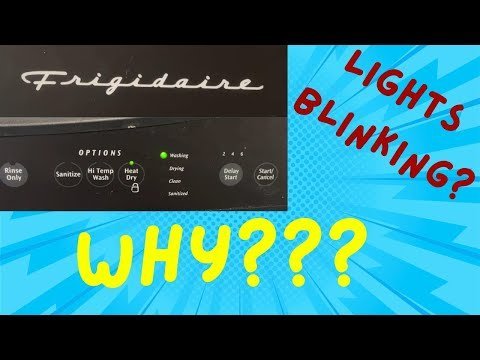
The blinking light acts as a diagnostic language for the appliance. When the control board detects an abnormality, it pulses the light to warn you that the cycle can’t proceed safely. The most frequent cause is a door latch assembly that has failed to send a “closed” signal to the controller. If the machine thinks the door is open, it won’t start the pump or heating elements to prevent water from leaking onto your floor.
Another common reason is a temporary power surge or a minor voltage drop. Modern electronics are sensitive to the clean power provided by your home grid. If the voltage fluctuates, the control board may enter a “protected” state, causing the start light to blink until the system is power-cycled. You can check your home’s electrical status by looking for other flickering lights or resetting your main panel.
Finally, some models track the number of cycles between cleanings. If the internal sensor detects a significant buildup of debris in the filter or the float switch is stuck in the “up” position, the machine will refuse to start. The blinking light tells you that the system is blocked from beginning its cycle. Always consult the Kenmore product support documentation for the specific error codes associated with your model number, as these vary by year and series.
Reset the control board
A hard reset is the primary step for clearing temporary electronic glitches. This process forces the control board to reboot its internal software and ignore the cached error state that keeps the start light blinking.
To begin, locate the circuit breaker for your kitchen and switch it to the “off” position. If you can’t reach the breaker, pull the dishwasher out and unplug it from the wall outlet. Wait at least sixty seconds. This time allows the capacitors on the control board to fully discharge their stored energy. If you reconnect the power too quickly, the board may retain the fault state.
After waiting, restore the power. Once the machine is back on, you must enter the diagnostic mode. On most Kenmore models, this involves pressing the “Heated Dry” button and the “Normal Wash” button in a rapid sequence, usually four times within five seconds. If done correctly, all the lights on the panel will illuminate. Press the “Start” button once more to trigger the test cycle. If the blinking stops and the machine begins to fill with water, the issue was a simple software hang. If the machine doesn’t respond, the control board itself may have a hardware failure. This reset is for basic troubleshooting; if you suspect a damaged wire or a burnt connection, don’t attempt to repair it yourself as internal components carry a risk of electric shock.
Inspect the door latch
If the reset doesn’t stop the blinking, the door latch assembly is the most likely culprit. This part contains a microswitch that tells the dishwasher the door is securely locked. If the switch fails or the latch mechanism is misaligned, the machine will refuse to start for safety reasons.
Check the latch by opening the door and looking at the locking mechanism located at the top center of the tub. Inspect the area for food debris, grease, or hardened soap buildup. If you see dirt, clean it with a soft cloth and mild soap. Then, push the latch lever back and forth to ensure it moves freely without sticking. If the latch feels loose or does not “click” when you close the door, the switch might be broken.
This fix is for users who are comfortable with basic mechanical inspection. If you find that the latch mechanism is physically broken or the plastic housing is cracked, it must be replaced. Because the door latch assembly involves electrical contacts, a technician should perform the replacement to ensure the safety interlocks remain functional. If you aren’t experienced with appliance repair, contact a certified technician to avoid voiding your warranty or causing an electrical hazard. Note that this varies by model — check the label inside the door to identify your specific part number before ordering any replacements.
Test the float switch
The float switch is a small, plastic component usually located at the bottom of the tub. Its job is to prevent the dishwasher from overfilling with water. If the float gets stuck in the “up” position due to debris or a mineral deposit, the dishwasher will think it’s already full and refuse to start, causing the start light to blink.
To check the float, gently lift the circular plastic cover at the bottom of the tub. Use your fingers to move the float up and down. It should move smoothly and click slightly at the bottom of its travel. If you feel resistance or it stays stuck in the “up” position, clear away any bits of glass, plastic, or food trapped underneath it.
If the switch is clean but still doesn’t click, it may be faulty. This is a common issue in areas with “hard water,” where calcium deposits can build up around the base of the switch. This fix is simple enough for most owners to perform safely. However, if the switch remains non-responsive after cleaning, it likely requires an electrical test. Never attempt to disassemble the internal base of the dishwasher to reach the wiring for the float switch, as this requires specialized tools and poses a risk of damaging the water seals.
What not to do
- Never attempt to bypass the door latch with a magnet or a paperclip, as this defeats a critical safety interlock and could lead to water spraying out while the machine is running.
- Don’t spray water directly onto the control panel to clean it, as moisture can seep behind the buttons and cause a permanent short circuit in the electronic board.
- Avoid using excessive force to close the door when the light is blinking; if the latch is jammed, slamming the door can break the plastic catch and turn a simple fix into a structural repair.
- Don’t leave the dishwasher unplugged for days in an attempt to “drain” the board, as most systems will clear their cache within a few minutes of being disconnected.
How to stop it happening again
Consistent maintenance ensures your sensors remain free of debris and your electronics stay dry.
| If you’re doing this | Do this instead | Why |
|---|---|---|
| Overloading the rack | Leave space for water flow | Prevents food debris from hitting the door latch. |
| Using too much detergent | Use the recommended amount | Prevents soap residue from gumming up the float. |
| Slamming the door | Close it gently | Protects the delicate microswitch in the latch. |
Frequently asked questions
Can I run the dishwasher if the light is still blinking?
No, you shouldn’t run the dishwasher while the light is blinking. This indicator means the control board has locked the system to prevent potential leaks or motor damage. You must resolve the error code or perform a hard reset before starting a new load.
How long does a hard reset take?
If the dishwasher remains unresponsive, the issue is likely a hardware failure rather than a software glitch.
Is it safe to replace the door latch myself?
Beginners shouldn’t replace the door latch without professional training. The latch is connected to high-voltage wiring, and internal capacitors can hold a lethal charge even when unplugged. Contact a licensed repair service to ensure the unit remains safe to use.
Why does the start light blink only after the cycle ends?
A blinking light after a cycle often indicates a drain error. This occurs if the dishwasher failed to pump out water during the final rinse. Check your drain hose for kinks or clogs, as the pump may be failing if the line is clear.
What happens if I ignore the blinking light?
Ignoring the blinking light will prevent the dishwasher from starting new cycles. The control board may eventually enter a permanent lockout mode if it repeatedly detects the same fault. Address the root cause, such as a dirty sensor or misaligned latch, immediately.
Final Thoughts
If these quick fixes don’t stop the flashing, it’s time to look closer at the control board for any signs of wear. Don’t hesitate to reach out to a local appliance technician if you’re still stuck. They’ll help you get your kitchen back to normal so you won’t have to wash dishes by hand.
Related guides