
A Frigidaire dishwasher start light blinking indicates a door switch error or cycle interruption, preventing the machine from operating. To reset it, hold the “Cancel” button for three seconds or check that the door latch is fully closed. If the light persists, verify that your circuit breaker hasn’t tripped.
Why your Frigidaire dishwasher start light blinking
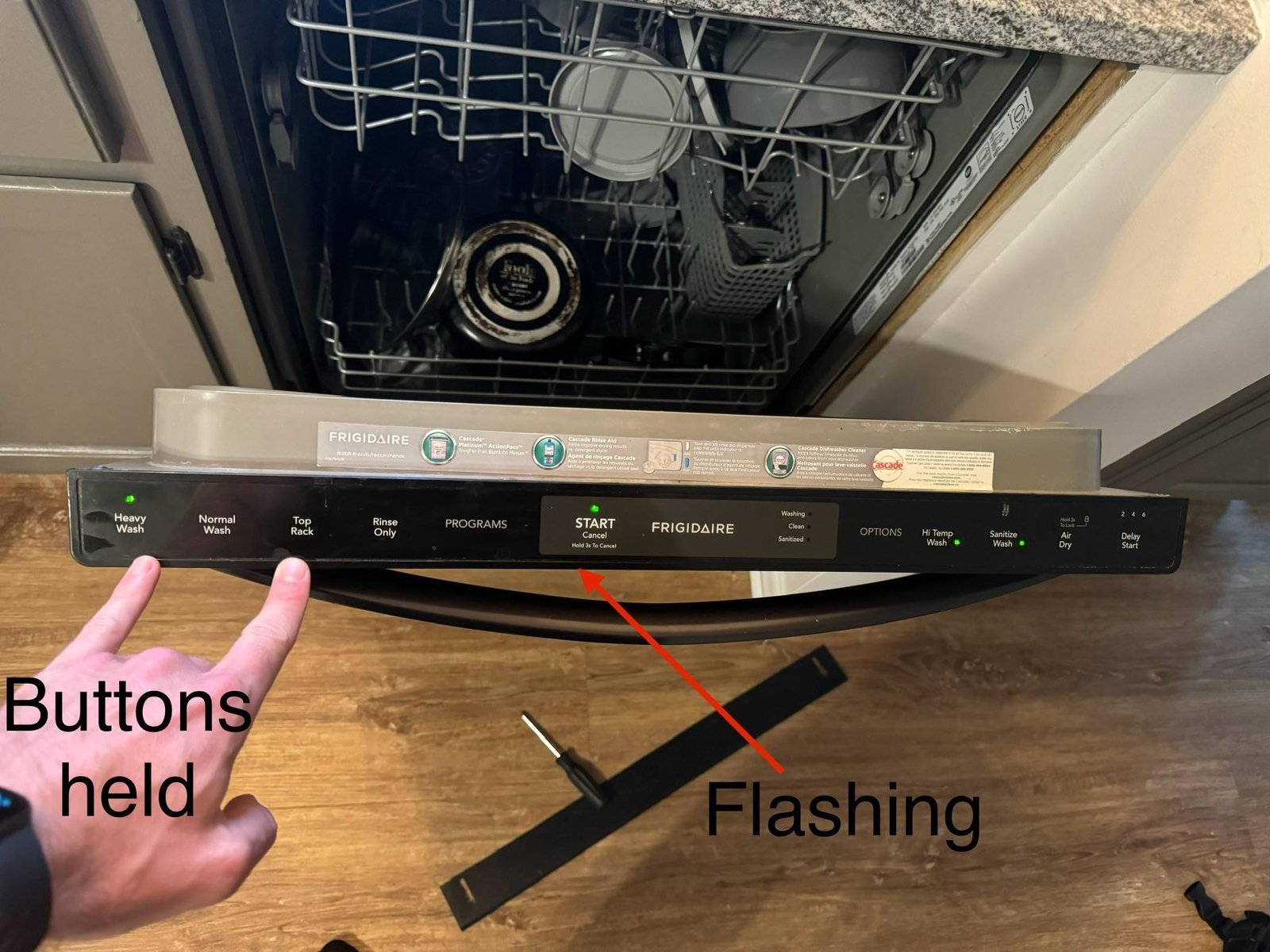
The blinking light is a communication signal from the dishwasher’s main control board. When the board senses an incomplete circuit, it stops the cycle to prevent water from leaking or heating elements from firing without water present. The most common cause is a faulty door latch assembly. If the sensors don’t detect a firm “closed” signal, the machine refuses to start to protect your kitchen from potential flooding.
Another frequent cause involves a software glitch in the control panel. Modern dishwashers use solid-state electronics that can get “stuck” due to small power surges or brownouts. When the voltage drops for a fraction of a second, the processor may enter a protected state, causing the start light to blink as a warning. This isn’t always a sign of broken hardware; sometimes, the internal computer just needs a reboot.
Finally, a blocked or failing drain pump can cause the machine to stall. If the water level doesn’t drop as expected during the drain phase, the control board will pause the operation and flash the start light to signal a drainage error. You can find detailed troubleshooting guidance for these cycles in the official Frigidaire appliance manual for your specific model. Always check the model number on the side of your door frame, as the specific error codes vary significantly across different series and production years.
Reset the control board
This fix is for users whose dishwasher has power but refuses to start due to a system error. If the machine is totally dead, check your home electrical panel for a tripped breaker first.
To perform a hard reset, follow these steps exactly: 1. Locate your home’s circuit breaker panel. 2. Flip the switch labeled “Dishwasher” to the “Off” position. 3. Wait at least 10 minutes to allow the capacitors on the control board to discharge fully. 4. Flip the breaker back to “On.” 5. Return to the dishwasher and press the “Cancel” or “Reset” button for three to five seconds.
If the light stops blinking, you have successfully cleared the memory. If the light returns immediately, the control board is likely sensing a hardware fault it can’t resolve. Note that this is a temporary fix for software glitches; it won’t repair a physically broken door sensor or a clogged drain pump. If you’re uncomfortable working with your home’s electrical breaker panel, contact a licensed electrician. This fix isn’t for people who lack access to the main service panel or those who are unsure which breaker controls the kitchen appliances.
Inspect the door latch
If the reset doesn’t work, the mechanical connection between the door and the frame is the most likely culprit. This fix is for those who notice the door feels loose or does not “click” when closed.
Check the latch assembly by following these steps: 1. Open the dishwasher door fully. 2. Look at the top center of the door for the plastic latch mechanism. 3. Check for debris, food particles, or broken plastic pieces that might prevent the latch from engaging. 4. Clean the area with a damp cloth and a mild soap. 5. Close the door firmly and listen for a distinct click.
If the latch feels “mushy” or fails to catch, the internal spring or the microswitch is worn out. If the latch is broken, you’ll need to replace the door strike or the latch assembly itself. This requires removing the inner door panel. Because the door contains sensitive electrical switches and wiring, this is considered technician-level work. If you aren’t experienced with appliance repair, avoid opening the door housing to prevent voiding your warranty or causing damage. A technician can test the switch continuity to confirm if the part has failed.
Verify the water supply
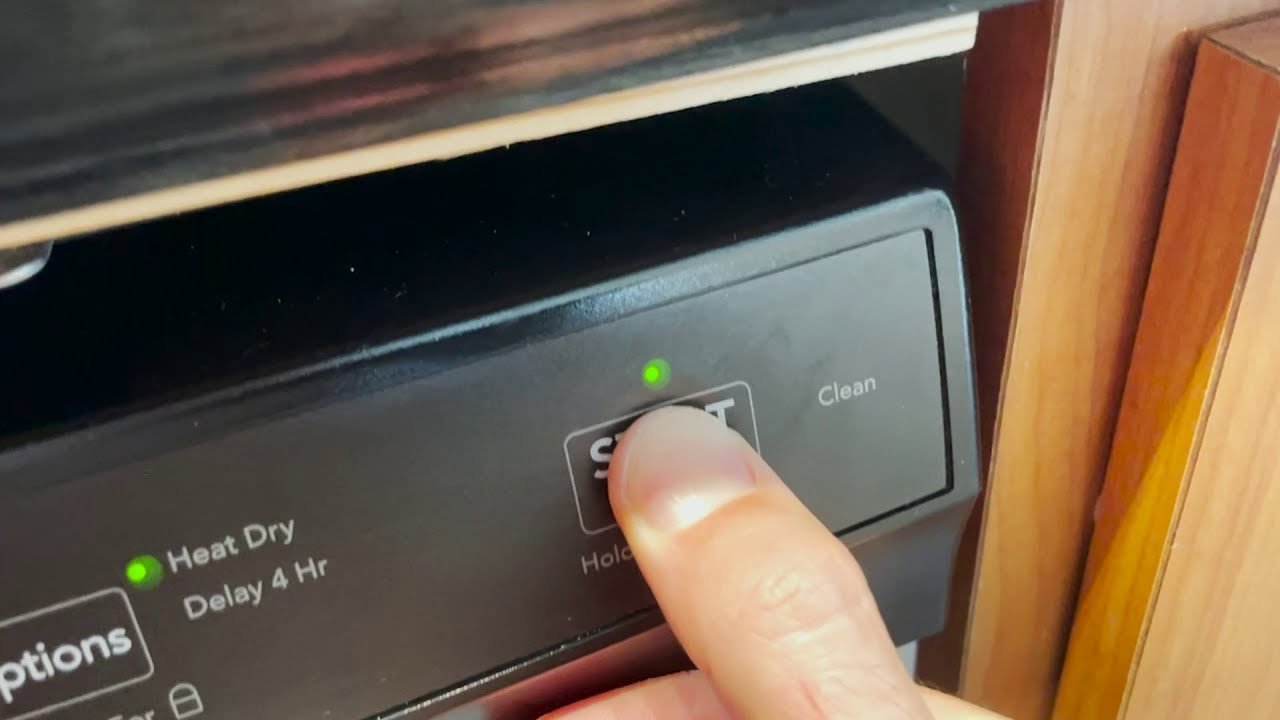
Sometimes the blinking light indicates that the dishwasher isn’t receiving enough water to start the cycle. This fix is useful if you hear the machine hum or attempt to start but it stops after a few seconds.
First, ensure your kitchen sink faucet is running and that the hot water valve under the sink is turned fully counter-clockwise to the “Open” position. If your water supply is fine, check the inlet valve screen. This is a small mesh filter located where the water line meets the dishwasher. Over time, sediment from your pipes can clog this screen, starving the machine of water.
This fix is worth the effort if you have basic plumbing tools like an adjustable wrench. However, if the inlet valve itself is faulty, it will need to be replaced. Don’t attempt to modify or bypass the water inlet valve, as this can lead to leaks or internal pressure damage. If you aren’t confident in your ability to disconnect water lines without causing a leak, call a professional plumber. This varies by model — check the label on your unit to ensure you have the correct replacement part number before attempting any hardware swaps.
What not to do
- Don’t spray water directly into the control panel or the door handle, as this can short-circuit the electronic board and cause permanent damage.
- Don’t attempt to bypass the door sensor by taping it down or using a magnet, as this removes a critical safety feature that prevents the machine from spraying hot water while the door is open.
- Don’t use a screwdriver to force the door latch shut, because this often snaps the plastic housing and makes the repair much more expensive.
- Don’t ignore the blinking light if the machine starts to smell like burning plastic, as this indicates a failed heating element or a shorted motor that requires immediate professional repair.
How to stop it happening again
Regular maintenance prevents most electronic errors. Use this table to keep your appliance running smoothly.
| If you’re doing this | Do this instead | Why |
|---|---|---|
| Slamming the door shut | Close it gently until it clicks | Protects the plastic latch assembly |
| Using too much detergent | Use the manufacturer’s recommended amount | Prevents sensor clogs from soap buildup |
| Ignoring the filter | Clean the bottom filter once a month | Ensures the pump can drain water easily |
| Leaving dishes unrinsed | Scrape off large food bits | Keeps the drain pump from jamming |
Most users mistake a minor rattle for a mechanical failure. If you hear a rhythmic clicking, check the spray arm for loose debris before calling a technician. This simple inspection saves a significant service fee.
If your appliance stops mid-cycle, reset the control board by unplugging the unit for at least one minute. This clears temporary software glitches. However, if the error code returns immediately, the issue is likely a faulty sensor rather than a power surge. In that case, stop troubleshooting and consult the warranty manual.
Frequently asked questions
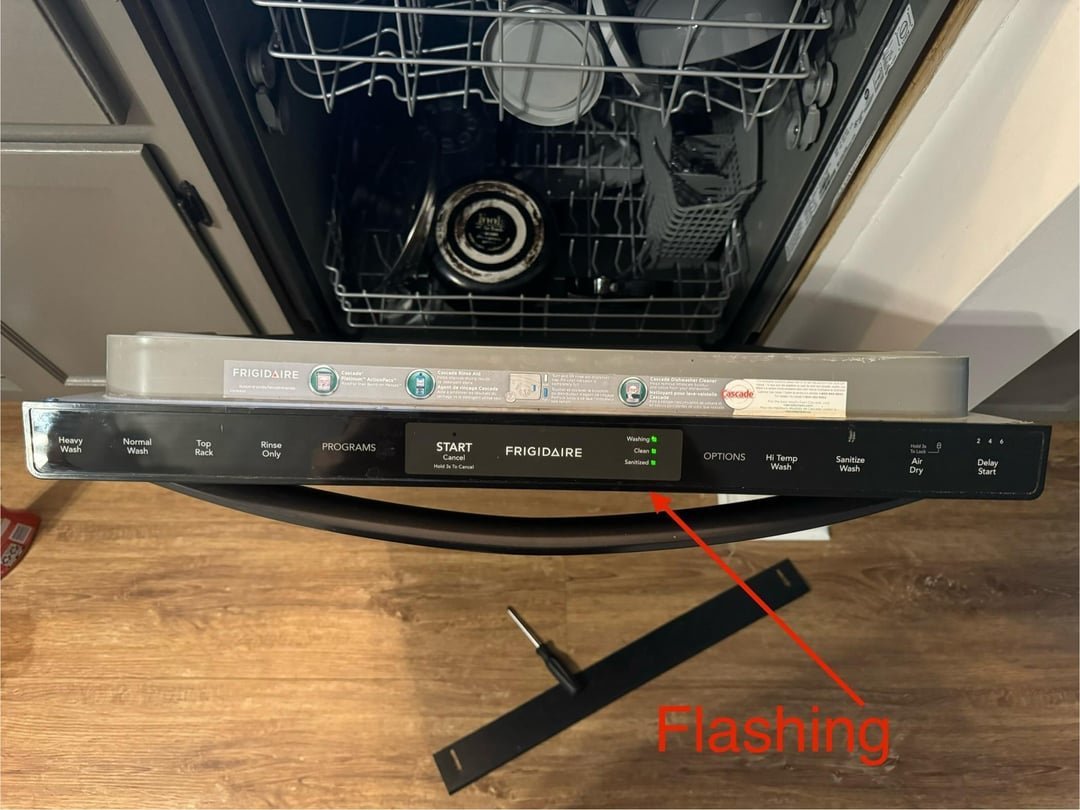
Can I run the dishwasher if the light is still blinking?
No, you shouldn’t run the dishwasher while the light is blinking because the control board has entered a safety lockout mode. This state prevents the machine from completing cycles, which may leave dishes unhygienic. Always reset the power before attempting a new cycle.
Why does my dishwasher blink when I press start?
Your dishwasher blinks when you press start because the control system has identified a fault that prevents the cycle from beginning safely. This is typically a communication error between the door latch and the main controller. The system refuses to energize components to prevent leaks or dry heating.
How long should I leave the power off to reset it?
You should leave the power off for at least 10 minutes to ensure the internal memory of the control board is fully cleared.
Is it safe to fix the door latch myself?
It’s safe to clean the latch area, but replacing the internal switches should be left to a professional. The door assembly contains sensitive microswitches that are easily damaged during disassembly. Contact a certified technician if you’re unsure to avoid voiding your warranty.
What happens if I ignore the blinking light?
If you ignore the blinking light, the dishwasher will remain in a locked state and refuse to start future cycles. The machine may fail to drain, leading to stagnant water and potential mold growth. It’s easier to address the underlying sensor issue early.
Final Thoughts
If these simple checks don’t resolve the issue, it’s time to look closer at the internal control board or the door latch mechanism. You shouldn’t hesitate to contact a professional technician if the blinking continues. Getting an expert’s opinion will help you avoid further damage and get your kitchen back to normal.
Related guides