
The kitchenaid clean light blinking 7 times indicates a motor or pump issue that prevents the dishwasher from completing its cycle. This error code usually means the control board detects an electrical resistance problem within the motor circuit or a failure in the wash pump assembly. When this happens, the dishwasher stops mid-cycle to protect the internal components from overheating. If you see this blinking light, you should immediately cancel the current cycle by pressing the “Cancel/Drain” button and then unplug the unit to reset the control board.
Reasons the KitchenAid clean light is blinking
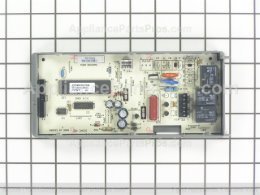
The primary reason for this error is an electrical fault within the circulation pump or the main wash motor. The control board monitors the current flowing to these parts during the wash cycle. If the motor draws too much current, or if the sensor detects no movement when the motor should be spinning, the board identifies a potential failure and triggers the flash sequence to warn you.
Another common cause involves a physical obstruction in the pump. Small items like toothpicks, broken glass, or hard food debris can lodge in the impeller. When the impeller can’t spin freely, the motor encounters physical resistance. This causes the motor to draw extra power, which the control board interprets as an electrical fault.
Finally, a loose wiring harness can cause this error. Over time, the vibrations of the dishwasher can cause the connectors leading to the motor to loosen. Even a slight gap in the connection creates intermittent electrical signals that the board reads as a “motor circuit failure.” This varies by model — check the label on your unit’s door for specific diagnostic codes, as some newer KitchenAid dishwasher manuals provide model-specific troubleshooting steps for motor-related errors. If you find no debris and the wiring looks secure, the motor itself may have reached the end of its life, requiring a professional technician to replace the pump assembly.
Reset the dishwasher control board
This fix is for users who suspect a temporary software glitch rather than a mechanical failure. First, press the “Cancel/Drain” button on the control panel to stop the current cycle. Open the dishwasher door and wait for the water to drain out completely. Once the basin is empty, pull the dishwasher away from the wall or turn off the circuit breaker in your home’s main electrical panel.
Leave the power disconnected for at least 15 minutes. This allows the capacitors on the control board to discharge fully, which clears the error memory. After the time has passed, restore power and start a short “Rinse Only” cycle to test the motor. If the light doesn’t return, the issue was likely a one-time electronic hiccup.
Who this isn’t for: Don’t attempt this if you notice a burning smell or hear a loud grinding noise when the cycle starts. These sounds indicate a mechanical failure that resetting won’t fix. If you must remove the kickplate to inspect wiring, ensure the unit is unplugged, as the pump connections carry live voltage. If you aren’t comfortable working with electrical components, contact a certified appliance repair technician. A mistake people make is trying to force a reset while the unit is still full of water; this can lead to an overflow if the drain pump is also damaged.
Clear the pump and impeller
This fix is for when you suspect debris is blocking the pump’s movement. You’ll need a screwdriver to remove the lower rack and the filter assembly. Once the filter is out, look into the sump area at the bottom of the tub. Use a flashlight to see if there’s any plastic, glass, or hard debris stuck near the white plastic impeller blades.
If you see an object, carefully remove it with needle-nose pliers. Never use your bare fingers if there’s broken glass involved. After removing the debris, ensure the impeller spins manually with only light resistance. If it feels completely stuck or makes a crunchy noise when turned, the pump housing might be damaged.
After clearing the path, put the filter back in place and secure the rack. Run a test cycle with the dishwasher empty. If the blinking light stops, the blockage was the only issue. If the light returns, the motor may have suffered electrical damage from the strain of pushing against the obstruction. This is a common trade-off; clearing a blockage often restores function, but if the motor worked against the jam for too long, the internal windings may have scorched, requiring a full pump replacement. Always check the manual for your specific model before removing internal parts, as some designs use fragile plastic clips that break easily if handled with too much force.
Inspect the motor wire harness
This fix is for users who have ruled out debris and software errors. You must access the underside of the dishwasher to check the wiring. First, ensure the power is off at the circuit breaker. Remove the lower kickplate, which is usually held by two screws. Locate the motor assembly, which sits near the center of the unit.
Look for a plastic plug or connector that attaches to the side of the motor. It should be clicked firmly into place. If it looks loose, push it in until you hear a click. Inspect the wires leading to the connector for any signs of melting, fraying, or discoloration. If the wires are burnt, don’t try to patch them with electrical tape; this is a fire hazard.
This task requires you to work on your back under the machine. If you have mobility issues or limited experience with appliance repair, hire a professional. A mistake people often make is pulling on the wires themselves rather than the plastic connector housing, which can break the delicate copper strands inside the insulation. If the connection is tight and the wires look fine, the motor itself is likely faulty. At this point, the repair moves beyond a simple DIY fix, and you should call a service provider to test the motor’s electrical resistance using a multimeter.
What not to do
Don’t pour drain cleaner or harsh chemicals into the tub to clear a blockage. These caustic agents corrode rubber seals and degrade the pump housing, leading to leaks that cost hundreds in parts.
Don’t ignore a blinking light or force multiple cycles. This persistent operation causes the motor to overheat, which often melts adjacent plastic housing or triggers a permanent thermal fuse failure. If the light flashes, unplug the unit for ten minutes to reset the internal sensors.
Don’t attempt to bypass the control board by jumping wires. This action voids your warranty immediately and creates a high risk of electrical fire.
Don’t use a power washer inside the sump. High-pressure water forces moisture into sealed electrical connections, causing short circuits that ruin the motherboard. Use a damp cloth and mild soap to wipe down the basin by hand.
How to stop it happening again
To keep your dishwasher running smoothly, focus on removing food residue before loading and performing regular filter maintenance.
| If you’re doing this | Do this instead | Why |
|---|---|---|
| Loading plates with heavy food | Scrape solids into the trash | Prevents debris from reaching the pump |
| Running cycles with a dirty filter | Stops fine grit from grinding the impeller | |
| Using too much detergent | Use the manufacturer’s recommended amount | Excess soap creates a sludge that clogs the pump |
| Ignoring strange noises | Stop the cycle and inspect the sump | Catching a blockage early saves the motor |
Frequently asked questions
Can I still use my dishwasher with the light blinking?
No, you shouldn’t use the dishwasher while the light is blinking because the machine has entered a safety lockout mode. The control board has detected a fault and disabled the motor to prevent further damage. You must address the underlying issue, such as a blockage or loose wire, before the unit will function again.
How long does it take to fix this issue?
A simple check for debris or a loose wire usually takes about 30 to 60 minutes for a typical user. If you have to remove the kickplate and inspect the wiring, allow extra time for safely moving the dishwasher. If the motor requires replacement, this is a more complex job that can take two hours or more, depending on your experience level. Always prioritize safety over speed when working with electrical appliances.
Is it safe to leave the dishwasher plugged in?
It’s safest to unplug the dishwasher or turn off the dedicated circuit breaker before you begin any inspection. While you’re just looking for debris, keeping the power on creates a risk of accidental activation or shock. If you’re checking the wiring harness or the pump, the power must be off to prevent electrical injury. If you can’t reach the plug or the breaker, don’t attempt the repair yourself.
What happens if I ignore the 7 blinks?
Ignoring the 7 blinks will likely lead to a permanent failure of the wash motor. The blinking is a warning that the motor is working under abnormal stress. If you continue to run the machine, the motor windings may burn out, which is a much more expensive repair than simply clearing a blockage. In some cases, the heat generated by a struggling motor can also damage the plastic housing of the pump.
Why did my dishwasher stop in the middle of the cycle?
The dishwasher stops mid-cycle because the control board detects an error that makes the current operation unsafe. The board terminates the cycle to prevent internal damage or overheating when the motor draws too much current. You must resolve the fault and reset the system before the dishwasher will resume normal operation.
Final Thoughts
If these basic resets don’t get your machine running smoothly again, it’s time to contact a professional technician. They’ll have the right tools to test your motor’s wiring and determine if a part needs replacing. Don’t worry; you’ll have your kitchen back in working order before you know it.
Related guides