Are you looking for a powerful yet lightweight tool to bring your text to life? The Open Source Text Processing Project CMU Flite might be exactly what you need.
Designed to be fast, small, and efficient, Flite transforms written words into clear speech without demanding heavy resources. Whether you’re developing for embedded devices or large servers, this speech synthesis engine lets you add natural voice capabilities with ease. Keep reading to discover how CMU Flite works, why it stands out in the world of text-to-speech, and how it can elevate your projects with open source flexibility.
Your journey to smarter, voice-enabled applications starts here.
What Is Cmu Flite
CMU Flite is an open-source text-to-speech engine that converts written text into spoken words. It is designed to be small and fast, making it suitable for various applications. Flite is widely used in projects that require speech synthesis with limited resources. Its lightweight nature allows it to run efficiently on different devices.
Origins And Development
CMU Flite was developed at Carnegie Mellon University. It emerged as a smaller, faster alternative to the Festival speech synthesis system. The project started to meet the need for a portable and easy-to-use text-to-speech engine. Researchers focused on creating a system with low memory and CPU use. Over time, Flite has grown with contributions from the open-source community.
Core Features
Flite offers clear and natural-sounding speech output. It supports multiple languages and voices. The engine is written in ANSI C, which helps in portability. Flite runs quickly and uses minimal resources. It can produce audio files or stream speech directly to audio hardware. The system is thread-safe, allowing use in multi-threaded applications.
Target Platforms
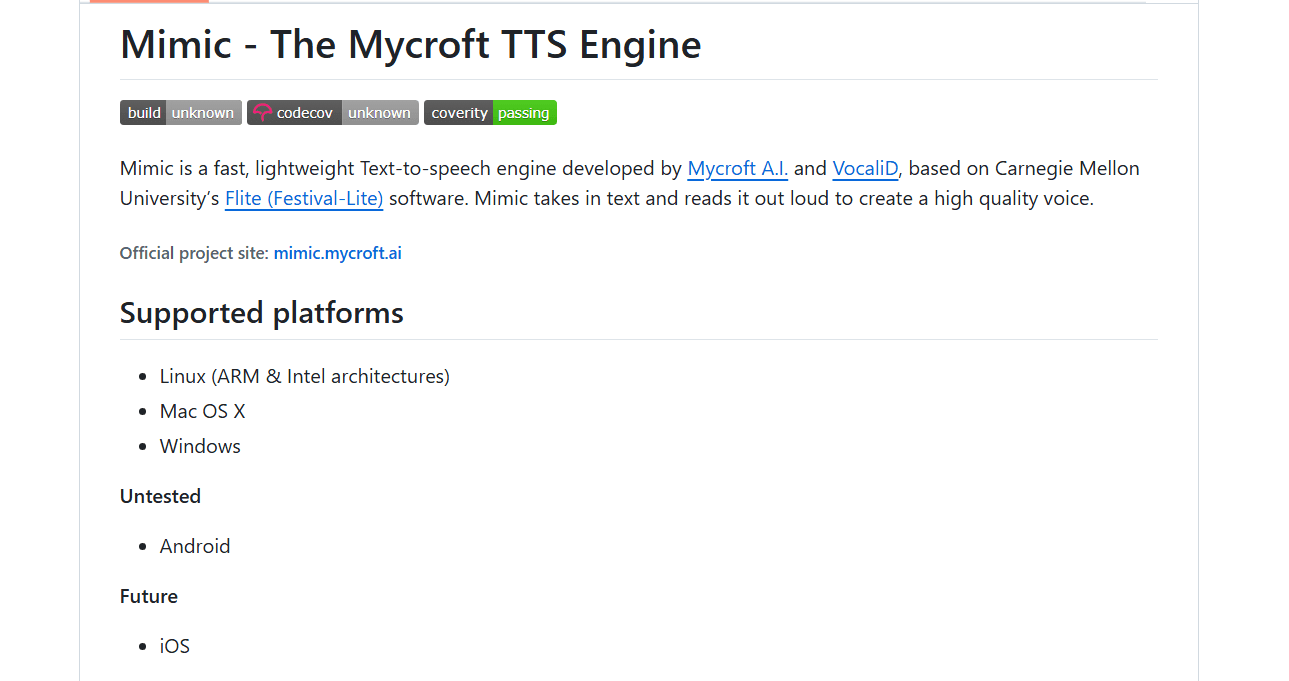
Flite works on many platforms, including Windows, Linux, and macOS. It also runs on embedded systems like Raspberry Pi and other small devices. The engine suits both small machines and large servers. Its flexible design allows easy integration into various software projects. This wide platform support makes Flite a versatile tool for developers.
Credit: smallest.ai
Architecture And Design
The architecture and design of the CMU Flite project focus on efficiency and portability. It aims to provide a fast text-to-speech engine that works well on various devices. The design ensures a balance between performance and resource use. This makes it ideal for embedded systems and servers alike.
Lightweight Structure
Flite has a small and simple structure. Its design avoids unnecessary complexity. This keeps the code easy to maintain and understand. The lightweight nature helps it run on devices with limited memory. It loads quickly and uses minimal resources. This makes Flite suitable for real-time speech synthesis tasks.
Ansi C Implementation
The entire Flite engine is written in ANSI C. This choice ensures wide compatibility across platforms. ANSI C is a standard language that compilers support everywhere. Using C allows Flite to run on many operating systems. It also helps keep the engine efficient and fast. Developers find it easier to port Flite to new environments.
Thread Safety
Flite is designed with thread safety in mind. Multiple threads can use the engine without conflicts. This is crucial for applications that require simultaneous speech synthesis tasks. Thread safety prevents data corruption and crashes. It allows developers to build reliable multitasking programs. This feature improves Flite’s usability in modern software systems.
Installation And Setup
Setting up the CMU Flite text-to-speech engine is straightforward. This guide covers the basics of installation and setup. It helps you get Flite running smoothly on your system. Follow these simple steps for a quick start.
System Requirements
CMU Flite requires a C compiler to build from source. You need a Unix-like environment or Windows with compatible tools. At least 100 MB of free disk space is recommended. The system should have basic development libraries installed. A modern processor and 1 GB RAM are sufficient for most uses.
Building From Source
Download the latest source code from the official GitHub repository. Extract the files into a folder on your computer. Open a terminal or command prompt in that folder. Run the command ./configure to prepare the build. Use make to compile the program. Finally, run make install to install Flite on your system. This process creates the executable and necessary files.
Platform Compatibility
CMU Flite works on Linux, macOS, and Windows platforms. On Windows, use Cygwin or WSL to build the source code. The software supports both 32-bit and 64-bit systems. It can run on embedded devices with limited resources. Flite’s portability ensures it fits many hardware setups.

Credit: www.useanvil.com
Using Cmu Flite
Using CMU Flite offers a straightforward way to convert text into speech. This lightweight engine works well on various devices, from small embedded systems to powerful servers. Its design focuses on speed and simplicity without sacrificing quality.
Users can integrate CMU Flite easily into projects that need quick and reliable text-to-speech functions. The software supports multiple audio formats and output methods. Understanding how to use its basic features helps maximize its potential.
Basic Text-to-speech Conversion
To convert text into speech, you simply provide the text input to CMU Flite. The engine processes the text and generates a corresponding audio stream. This process takes only a few seconds and requires minimal resources.
Flite supports several voice options, allowing users to select different speech styles. You can quickly test it by running simple commands or embedding it in code. This makes Flite ideal for developers and hobbyists alike.
Audio Output Options
CMU Flite can output audio in multiple formats. You can save speech as WAV files for later use. The engine also supports direct playback through sound devices on your system.
This flexibility allows users to choose the best audio output for their needs. Whether you want to generate audio files or play speech in real-time, Flite handles both tasks smoothly.
Command Line Interface
Flite offers a user-friendly command line interface for quick access. You can run commands to convert text files or typed input directly into speech. This interface is perfect for testing and scripting purposes.
Commands are simple and require only a few parameters. This makes Flite accessible even for users with limited technical experience. The CLI also supports options to customize voice and output settings.
Voice Customization
Voice customization is a key feature of the CMU Flite text-to-speech engine. It allows users to create and modify voices for different applications. Custom voices help make speech sound more natural and suitable for specific needs. This section explores how Flite supports voice customization through integration, voice building, and tuning.
Integration With Festvox
Flite works closely with the FestVox project. FestVox provides tools to build and manage synthetic voices. This integration makes it easier to create new voices for Flite. FestVox offers a structured method to collect voice data and convert it into usable speech models. Together, Flite and FestVox form a powerful system for voice customization.
Building New Voices
Creating new voices starts with collecting voice recordings. FestVox guides users through this process with clear instructions. The recordings are then processed to generate speech units. These units form the building blocks of the new voice. Flite uses these units to produce speech that matches the voice style. Building new voices requires patience but results in personalized speech output.
Voice Parameters And Tuning
Flite allows tuning of voice parameters to adjust pitch, speed, and volume. Users can modify these settings to change how the voice sounds. Small adjustments can make speech clearer or more expressive. Tuning helps fit the voice to different languages and accents. This flexibility ensures the synthetic voice meets specific user requirements.
Applications And Use Cases
The CMU Flite text processing project finds use in many fields. Its lightweight design allows it to fit into various environments easily. This section explores where CMU Flite works best and how it helps users achieve goals efficiently.
Embedded Systems
CMU Flite excels in embedded systems due to its small size. Devices like smartwatches and home assistants use it for voice output. It works well with limited memory and processor power. This makes Flite a preferred choice for many small gadgets.
Its fast response helps create smooth user interactions. Flite supports multiple platforms, making integration simple. Developers value its low resource use and clear speech output in these devices.
Large Server Environments
Large servers benefit from CMU Flite’s speed and efficiency. It handles many text-to-speech requests without slowing down. This makes it ideal for call centers and voice response systems. Flite can generate speech on demand with minimal delay.
Its thread-safe nature ensures stable performance under heavy load. Companies use Flite to provide automated voice services to millions of users. The engine’s scalability fits well with cloud and server-based solutions.
Educational And Research Uses
Researchers and educators use CMU Flite to study speech synthesis. Its open source code allows easy modification for experiments. Students learn about text-to-speech technology by working with Flite. It provides a practical tool for understanding voice generation.
Flite also supports creating custom voices for projects. This flexibility makes it valuable in linguistics and computer science fields. Educational institutions benefit from its accessible, free-to-use nature.
Performance And Limitations
The performance of the CMU Flite text-to-speech engine plays a key role in its adoption. It offers fast speech synthesis with a focus on low resource use. These traits make it ideal for embedded systems and servers with limited capacity. Despite its speed, Flite has some limits that users should consider.
Speed And Efficiency
CMU Flite delivers speech output quickly. Its lightweight design supports fast processing. This allows near real-time text to speech conversion. It works well on devices with low computing power. The engine avoids complex algorithms to save time. Speed remains strong even with longer texts.
Resource Consumption
The engine uses minimal CPU and memory resources. It suits devices with small RAM and slower processors. Flite’s small codebase helps reduce storage needs. This makes it easy to embed into various hardware. Low resource consumption extends battery life in mobile devices. It also lowers costs for large deployments.
Comparison With Other Tts Engines
Compared to bigger TTS engines, Flite is faster but less natural. Its voice quality is clear but more robotic. Other engines use advanced models for smoother speech. Those models require more processing power and memory. Flite shines in simple, fast applications rather than high-fidelity uses. It balances performance with resource limits effectively.
Community And Support
The CMU Flite project thrives because of its strong community and support system. Users and developers contribute to its growth and improvement. The community shares knowledge and solves problems together. This support network helps both beginners and experts work effectively with Flite.
Open Source Contributions
Developers worldwide add code, fix bugs, and suggest features. Contributions come from people with different skills and backgrounds. This collaboration speeds up development and ensures Flite stays relevant. Everyone can participate by submitting patches or testing new versions.
Documentation And Resources
Clear and detailed documentation guides users through installation and usage. Tutorials and examples make learning easier. The project offers manuals explaining core functions and APIs. Resources are updated regularly to match the latest software changes.
Forums And Developer Networks
Online forums provide a place to ask questions and share ideas. Developers exchange tips and troubleshoot issues together. Social networks and mailing lists keep the community connected. These platforms encourage collaboration and foster a helpful environment.
Future Developments
The future of the CMU Flite project shows promising growth and innovation. Developers aim to enhance its speed and voice quality while keeping the system lightweight. Continuous improvements will help Flite serve more devices and applications. The project also plans to explore new research areas and expand its technology reach.
Planned Features
Upcoming updates include better voice naturalness and expressiveness. Developers want to add more language support to reach global users. There will be improvements in pronunciation accuracy and prosody control. Efforts focus on reducing CPU and memory use further. These changes will improve Flite’s performance on low-power devices.
Ongoing Research
Researchers study new machine learning methods to improve speech synthesis. Experiments test ways to make voices sound more human-like. Studies also explore better ways to handle different accents and dialects. Research is underway on real-time speech adaptation to user preferences. These efforts aim to make Flite more flexible and user-friendly.
Integration With Emerging Technologies
Flite plans to work closely with voice assistants and smart devices. Developers explore connections with Internet of Things (IoT) platforms. The project looks to support virtual reality and augmented reality applications. Integration with cloud services may offer more computing power and options. These moves will help Flite stay relevant in new tech areas.
Credit: www.useanvil.com
Frequently Asked Questions
What Is Cmu Flite In Text Processing?
CMU Flite is a small, fast, open source text-to-speech engine. It converts written text into spoken words quickly and efficiently.
How Does Cmu Flite Differ From Other Speech Engines?
CMU Flite uses less memory and runs faster than many speech tools. It works well on small devices and large servers alike.
Can Cmu Flite Run On Embedded Systems?
Yes, CMU Flite is designed for small embedded machines. It uses minimal resources, making it suitable for limited hardware.
Is Cmu Flite Easy To Integrate Into Projects?
CMU Flite offers simple APIs for developers. Its open source nature allows easy customization and integration.
What Languages And Platforms Does Cmu Flite Support?
CMU Flite mainly supports English but can be extended. It runs on multiple platforms including Windows, Linux, and embedded systems.
Conclusion
CMU Flite offers a simple, fast solution for text-to-speech needs. Its open source design supports many platforms and uses little memory. Developers can build voices quickly and customize easily. This project suits both small devices and large servers well. Exploring CMU Flite can help improve speech technology projects.
It stands as a reliable tool for clear, efficient text processing.