A loose wristband or an uncalibrated device is usually why you notice your fitbit not counting steps accurately during daily movement. Most errors happen because the sensor loses contact with your skin or the internal accelerometer fails to detect the specific arm swing associated with walking. If your device sits too high or low on your wrist, the tracking accuracy drops significantly. You should aim to wear the band about one finger’s width above your wrist bone to ensure the optical sensors maintain consistent contact throughout the day.
Fixing a Fitbit not counting steps
The primary reason for tracking errors is a failure in the device’s physical orientation. Modern trackers use a three-axis accelerometer to map motion patterns. If the band is too loose, it slides around your arm, which confuses the sensor’s ability to distinguish a step from a random arm gesture. Movement that doesn’t follow the natural rhythm of a stride often gets filtered out by the internal software to avoid “false” step counts, such as when you’re typing or driving.
Another common cause involves the device’s link to your account settings. If your stride length is set incorrectly in the app, the distance and intensity calculations will feel off, even if the raw step count is technically correct. You can find specific troubleshooting steps for your device model on the Fitbit help center.
Finally, software bugs occasionally freeze the sensor data. This happens if a firmware update was interrupted or if the device hasn’t synced with your phone in several days. When the tracker memory fills up, it may stop recording new data until a successful sync clears the cache. If your tracker is physically damaged or the battery is failing, the sensors will stop responding entirely. This varies by model — check the label for your specific device’s battery health indicators.
Tighten the wristband placement
This fix is for users who notice the device tracking movement only intermittently or recording very low numbers compared to their actual activity. To secure the tracker, move the band until it sits snugly about one finger’s width above your wrist bone. If you have a silicone band, ensure the buckle is tight enough that the device doesn’t rotate around your wrist during vigorous arm movement.
If you’re doing high-intensity activities like weightlifting, move the tracker higher up your forearm. This provides a more stable surface for the sensor. You’ll know this worked if the green heart rate lights on the back of the device remain solid against your skin rather than flickering when you move your arm. If you have very thin wrists, you might need to purchase a smaller band size to maintain this contact. If the device still shows no change after tightening, try restarting it by holding the side button for ten seconds until the logo appears. This forces the accelerometer to recalibrate its baseline. This isn’t for people with skin sensitivities; if the band causes irritation, loosen it slightly but prioritize keeping the back of the sensor flush against your skin.
Update your stride length settings
This fix helps if your device counts steps but displays incorrect distances or inaccurate activity levels. Your tracker uses your height and gender to estimate your average stride length. If these details are wrong, the math behind your daily total will be skewed. Open the Fitbit app on your phone, go to your profile, and select “Personal Stats.” Verify that your height, weight, and gender are current.
Once your stats are correct, you can manually set your walking and running stride lengths. To do this, walk a measured distance of exactly 100 feet. Count your steps while walking at your normal pace. Divide 100 feet by the number of steps you took to get your stride length in feet. Enter this value into the “Advanced Settings” section of the app. This adjustment forces the device to align its sensor data with your actual physical movement. If you change your walking speed frequently, you may need to re-test this once a month to ensure the data stays accurate. This is a manual override, so it requires you to be honest about your pace. If you enter a stride length that’s too long, your device will undercount your total distance traveled.
Perform a full device reset
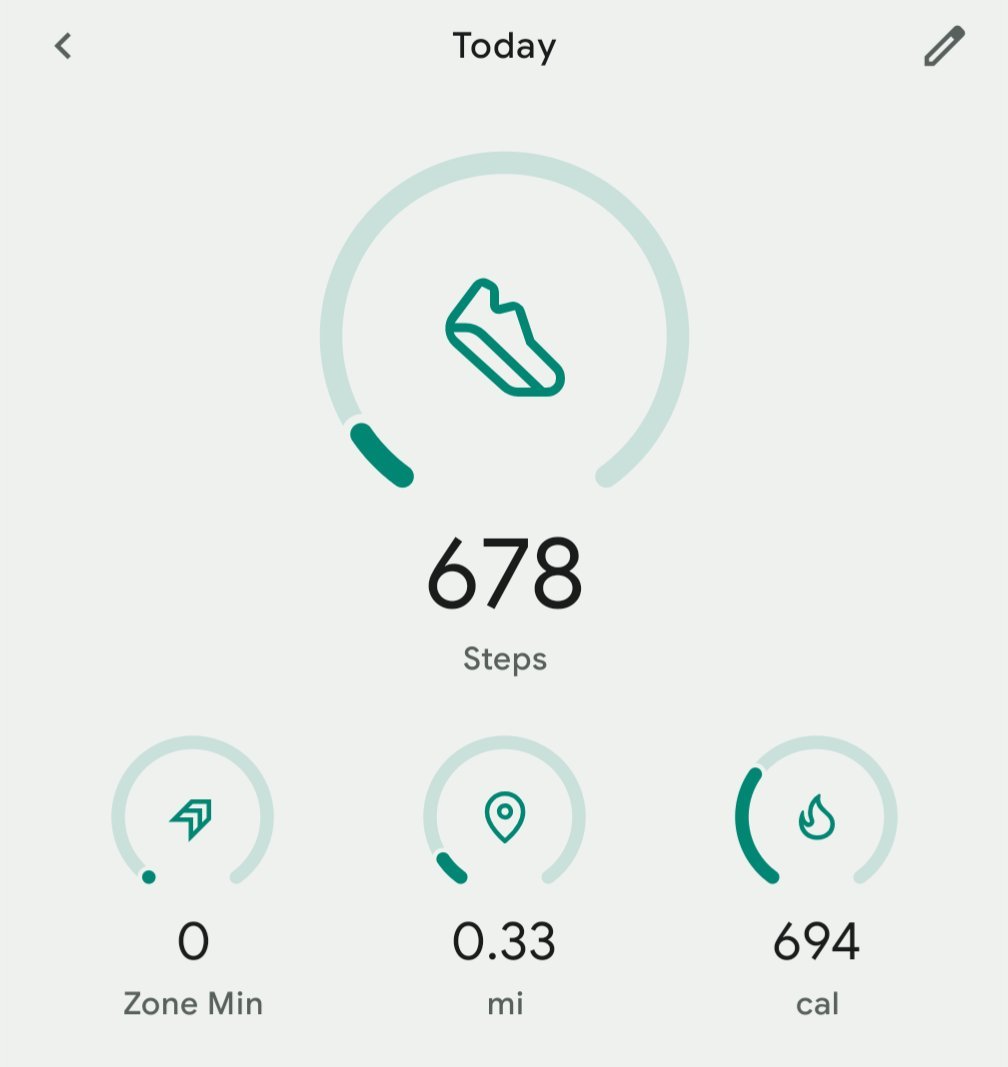
Use this method only if you have already tried the previous fixes and your tracker remains unresponsive to your movement. A factory reset wipes the device memory, which clears out corrupted data or stuck background processes that prevent step tracking. You should only do this if you have synced your data to the cloud first, as a reset deletes all unsynced information from the device.
To perform the reset, navigate to the “Settings” menu on the device itself and look for “Factory Reset” or “Clear User Data.” If your screen is unresponsive, consult the user manual for the button-combination sequence specific to your model. This process takes about five minutes. Once the device reboots, you’ll need to re-pair it with your phone as if it were a new unit. This is a last-resort option because it removes all custom settings, alarms, and watch faces. If you don’t have your login credentials for the account, don’t perform this step, as you’ll be locked out of the device. If the tracker still fails to count steps after a full reset, the internal accelerometer is likely broken, and you should contact the manufacturer for a warranty claim or repair.
What not to do
- Don’t shake your arm vigorously to “test” the device, as this often triggers the anti-falsing software to ignore the movement.
- Don’t wear the device over a thick sleeve or watch, because the sensor can’t detect your pulse or movement through layers of fabric.
- Don’t ignore the need to sync your device daily, as a full memory cache can cause the tracker to stop recording new data entirely.
- Don’t attempt to open the casing of the tracker yourself, as this voids your warranty and makes it impossible to repair the waterproof seals.
How to stop it happening again
Consistency is the best way to ensure your tracker remains accurate over the long term.
| If you’re doing this | Do this instead | Why |
|---|---|---|
| Wearing it too loosely | Tighten by one notch | Prevents sensor displacement |
| Ignoring app updates | Enable auto-update | Fixes software bugs |
| Charging it randomly | Charge at 20% battery | Prevents unexpected shutdowns |
| Syncing once a week | Sync every 24 hours | Clears the internal memory |
Most users fail because they treat tracking as a passive habit rather than a technical requirement. If your data shows erratic spikes or gaps, check your skin contact first. A tracker that slides more than a quarter-inch during movement is too loose to capture a reliable pulse.
If you notice data loss despite daily syncing, your device may be hitting its storage ceiling. When the internal memory fills, the tracker overwrites the oldest data to save new entries. Syncing every 24 hours prevents this permanent deletion. If you see a “Sync Failed” error, toggle your Bluetooth off and on before attempting a manual refresh.
Frequently asked questions
Can I calibrate my fitbit for more accuracy?
You can calibrate your device by manually entering your precise stride length in the app settings. Measure a known distance of 100 feet, walk it, and divide the distance in inches by your step count. This ensures your tracker calculates distance based on your actual movement rather than general estimates.
Why does my fitbit say zero steps?
Your device may have lost connection or the software could be frozen. First, ensure the band is flush against your skin or perform a restart by holding the side button for ten seconds. If you still see zero steps, your device may require a firmware update or factory reset.
How long does it take for steps to show?
It takes three to five seconds of continuous movement before the device displays an updated step count. The software uses this delay to ignore random arm motions like typing. If you don’t see the number change after thirty seconds of walking, your tracker isn’t registering your motion.
Is it safe to wear my fitbit in the shower?
Most modern models are water-resistant to 50 meters, meaning they can handle shower water and swimming. You should avoid wearing it in hot tubs or saunas, as extreme heat can damage the internal seals. Always dry the device thoroughly with a soft cloth after getting it wet to prevent corrosion.
What happens if I forget to wear my fitbit?
Your daily activity data will be incomplete for the period the device wasn’t worn. The tracker can’t retroactively add steps taken while it was off your wrist. If you miss a day, your historical trends in the app will simply show a gap, which doesn’t affect long-term accuracy.
Can I use a fitbit without a smartphone?
You can’t set up or fully manage a modern device without a smartphone or tablet. The device requires the app for initial setup, firmware updates, and data syncing. While the tracker records steps locally, you must sync it regularly to clear the internal memory and view your progress.
The best way to ensure your device tracks correctly is to keep the sensors clean and the software updated.
Final Thoughts
If these adjustments don’t improve your data, try restarting your tracker to refresh its software. Sometimes a quick reboot is all it takes to get things back on track. If you’re still seeing odd results, reach out to customer support; they’ll be happy to help you get moving again.
Related guides