
A samsung galaxy smartwatch not charging is most often caused by a dirty contact point or a misaligned magnetic dock. You should first inspect the back of your watch and the charging cradle for any dust, skin oils, or debris that might block the electrical connection. If the device remains unresponsive, check the power source and the cable for physical damage. If you have tried cleaning the surfaces and using a different wall adapter, you may need to contact Samsung support for further hardware diagnostics.
Why your Samsung Galaxy smartwatch not charging
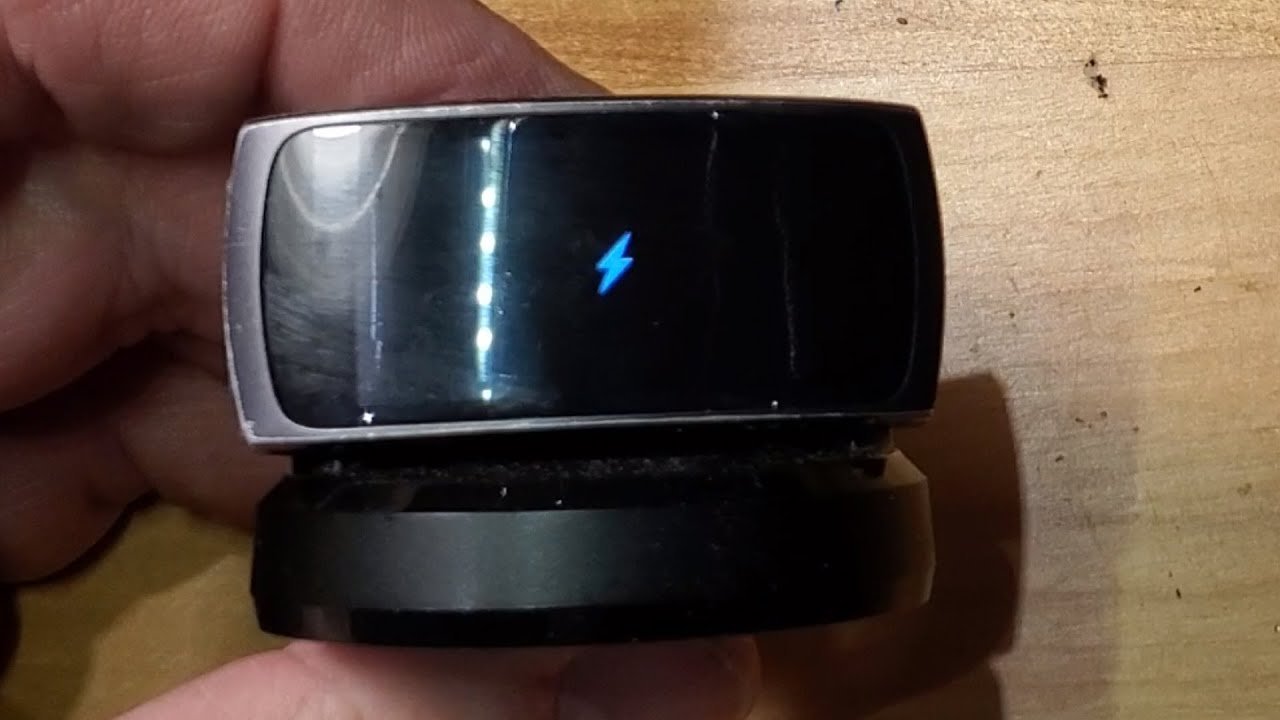
The primary reason for charging failure is a lack of physical contact between the watch and the charger. These devices use wireless charging, and debris can interfere with the alignment or proximity required for efficient power transfer. If the back of the watch or the charging surface is dirty, the magnetic alignment may be compromised, preventing the charging cycle from starting.
Another frequent cause is the use of an incompatible power adapter. Samsung smartwatches require a stable, specific voltage to initiate the charging process. If you’re using a generic third-party wall brick that doesn’t meet the necessary power output, the watch may refuse to charge to protect its battery from damage. This varies by model — check the label on your specific charging puck to see the required input power.
Deep battery discharge can cause a delay in responsiveness. If the watch has been off for several weeks, the voltage may drop below the threshold required for the display to light up, requiring thirty minutes on the charger. See Samsung device battery maintenance for official guidance.
Clean the charging surfaces
This fix is for anyone whose watch shows no reaction when placed on the cradle. Dirt and oil are the most common barriers to a successful connection. To clean it, use a dry, soft microfiber cloth to wipe the back of the watch case and the surface of the charging puck. If there’s stubborn debris, dampen the cloth with a tiny amount of isopropyl alcohol and wipe the metal pins gently. Don’t use metal tools or abrasive pads, as these will scratch the contact points and cause permanent damage to the charging interface.
Once the surfaces are clean and dry, place the watch back onto the center of the puck. If the magnetic alignment is correct, the watch should vibrate or show the charging icon on the screen within a few seconds. If you find the watch still doesn’t charge, try moving the charger to a different wall outlet or using a different USB port on your computer. If the charger is plugged into a power strip, move it directly to a wall socket to ensure it receives full power. If the watch fails to charge even after this, the internal battery or the charging coil may have reached the end of its functional life.
Use the original equipment
This fix is for users who have switched to generic cables or charging pads. Samsung smartwatches are calibrated to work best with the included magnetic dock and a certified power adapter. If you’re using a cable that came from an old phone or a low-cost third-party seller, the watch might not receive the consistent voltage it expects. This is a common mistake that costs users hours of troubleshooting time.
If you have access to the original charging cable, connect it to a wall adapter that provides at least five volts and one amp of power. If you’re using a laptop port, switch to a wall-mounted charger, as many computer USB ports don’t provide enough current to wake a dead watch. If the device begins to charge using the original equipment, you know the issue was the power supply. If you continue to experience issues, check the cable for signs of fraying or internal wire breakage. Never attempt to force the watch into a position that doesn’t align with the magnets, as this can bend the pins. If the charging surface is damaged or the magnetic connection is weak, the cradle may need to be replaced.
Perform a forced reboot
This fix is for cases where the watch is receiving power but the software has frozen. If you see the charging screen but the percentage doesn’t increase, or if the screen is entirely black despite being on the charger, a forced restart can clear the system memory. To do this, press and hold both the Home and Back buttons simultaneously for at least ten seconds. Keep holding them until the Samsung logo appears on the screen.
This process is safe and won’t erase your personal data or fitness records. If the watch boots up and shows a battery icon, it was simply stuck in a software loop. However, distinguish this from a “dead” battery state. If the watch shows a red lightning bolt icon, it isn’t frozen; it’s simply drained. In that case, leave it on the charger for at least thirty minutes before attempting the reboot.
If the watch remains unresponsive after a full charge and a forced reboot, it’s likely a hardware failure. This is the point where you should stop trying to fix it yourself, as the watch contains sealed components that aren’t user-serviceable. Professional repair services have the tools to test the internal battery voltage without damaging the waterproof seals.
A common mistake is attempting to pry the casing open to disconnect the battery. This almost always destroys the pressure-sensitive adhesive, rendering the device no longer water-resistant. If you’re within your warranty period, don’t attempt to open the casing. Doing so will void your coverage and leave you responsible for the full cost of the repair.
What not to do
Don’t use a high-pressure air compressor or canned air directly on the charging pins. The force can push debris deeper into the watch casing or damage the delicate waterproof seals. Once those seals fail, moisture enters the internal circuitry, leading to permanent hardware failure.
Don’t attempt to scrape the charging pins with a needle, knife, or screwdriver. This removes the protective plating, exposing the base metal to oxidation. Scratched pins corrode rapidly, which increases electrical resistance and causes intermittent charging. If you see stubborn buildup, use a soft-bristled toothbrush dampened with 90% isopropyl alcohol instead.
Don’t leave the watch on a charging pad that shows signs of charring or melting. A shorted charger can overheat the battery and create a fire hazard. If the charger feels hot to the touch or smells like burning plastic, disconnect it immediately.
Finally, avoid liquid cleaners on the charging port. Even a small amount of moisture can cause a short circuit. If you must clean the area, ensure the device is powered off and completely dry before reconnecting it to power.
How to stop it happening again
Consistency is the best way to keep your watch battery healthy for the long term. If you follow these habits, you’ll avoid most of the common power issues that affect these devices.
| If you’re doing this | Do this instead | Why |
|---|---|---|
| Leaving it in a bag | Store in a cool, dry place | Heat degrades internal cells |
| Using generic chargers | Use the original dock | Ensures the correct voltage |
| Ignoring sticky residue | Wipe with a dry cloth | Prevents contact interference |
Frequently asked questions
Can I charge my Samsung watch with a phone charger?
Yes, you can use a standard phone wall adapter if it delivers the correct voltage for your model. Most Samsung chargers require a compatible power adapter that meets the specific wattage and protocol requirements for your model. If the adapter is faulty or provides an unstable current, the watch may refuse to charge.
Why does my watch feel hot when charging?
It’s normal for the watch and charging puck to feel warm during induction. This occurs because energy is being transferred between the two surfaces. If the device becomes too hot to touch, remove it from the charger immediately to prevent potential damage.
How long should it take to charge?
Most Samsung smartwatches reach a full charge in about two hours when using the original magnetic dock. Charging via a computer USB port often takes twice as long due to lower power output. If charging exceeds three hours, the battery health may be declining.
Is it safe to leave the watch on the charger overnight?
Yes, it’s safe to leave your watch on the charger overnight because the device includes built-in protection circuits. Once the battery reaches one hundred percent, the watch stops drawing power. Avoid leaving the watch near extreme heat sources while it’s plugged in.
What happens if the watch turns off and won’t turn on?
If the battery is fully depleted, it may enter a deep discharge state that prevents the charging icon from appearing immediately. Leave the watch on the charger undisturbed for thirty minutes to regain power. If the screen remains dark after this, the hardware may be defective.
Final Thoughts
If these quick fixes don’t get your battery percentage climbing again, it’s best to visit a local authorized service center. They’ll have the right tools to test your device’s internal components. Don’t worry, as a professional technician can usually identify whether your hardware just needs a simple repair or a replacement.
Related guides


