
An app not available in your country or region is a restriction placed by the developer to limit access based on your current digital location. This happens because the software might not comply with local laws, lacks language support for your area, or is part of a regional marketing rollout. You can’t download these items directly from the store because your account settings or IP address don’t match the approved geographic zones for that specific software release.
Why the app is unavailable in your region
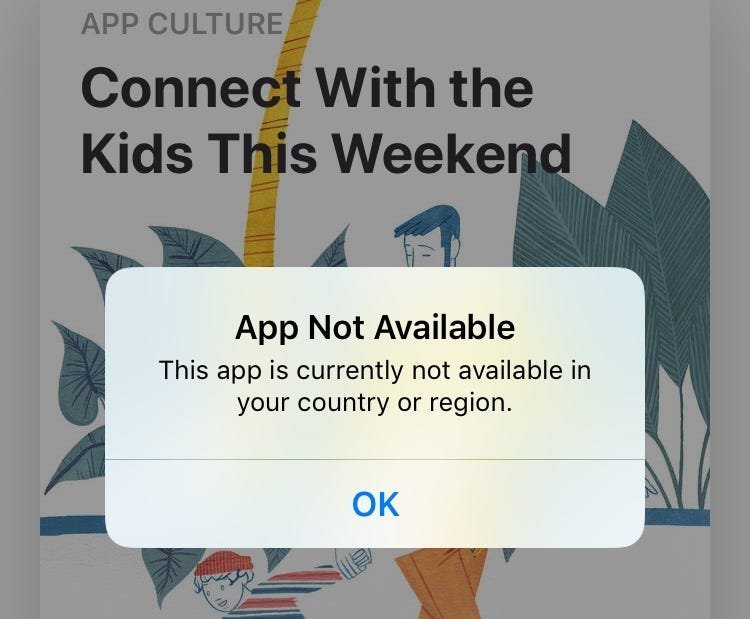
The store determines your location using the billing address linked to your payment method. You can check your current store region in your account profile or settings menu.
Changing your region requires a valid payment method issued in the new country. If you attempt to use a card from your previous home, the transaction will fail. You must cancel all active subscriptions and spend your remaining store credit before the switch.
Some developers restrict access to specific hardware models or operating system versions. If an app is missing, check if your device meets the minimum software requirements.
If you travel, the store may automatically update your region based on your IP. This can lock you out of local content from your home country. If this happens, manually reset your region in the settings menu. Always verify your account status before leaving home to avoid losing access to your digital library during your trip.
Why digital borders exist
Digital storefronts use geographic locks to manage legal, financial, and technical obligations that differ significantly across borders. Developers must ensure their software follows local data privacy rules, tax regulations, and content ratings, which vary by jurisdiction. If a developer hasn’t yet obtained the necessary permits or localized the interface for a specific market, they will toggle the distribution settings to exclude that region entirely.
Financial compliance is another major factor. Stores must process payments in local currencies and adhere to banking regulations that change from one country to the next. If your payment profile doesn’t match the store’s supported banking standards, the system blocks the transaction to prevent payment failures. This is why you can’t simply use a card from one nation to buy apps in another without updating your entire account profile to reflect the new billing address.
Most users fail to realize that tax nexus laws are the primary driver here. If a developer lacks a tax ID in a specific region, they face massive fines for selling there. The decision rule is simple: if the developer hasn’t registered as a merchant in your territory, the store will hide the app to shield both parties from legal liability.
Technical limitations also play a role in these restrictions. Some apps rely on specific infrastructure, such as local server clusters or high-speed connectivity, that may not exist in every country. A developer might decide to limit availability to ensure the performance meets their quality standards. If the app requires a specific hardware sensor or a network frequency not common in your area, the store will hide it to avoid negative user experiences.
This varies by model — check the label or the app store page to see if your device is supported. You might see a grayed-out “Install” button or a message stating the item is incompatible with your current hardware. If you’re wondering why you see a specific error, look at the bottom of the app store page for the developer’s support link. They often provide a list of supported countries and device specifications. This ensures you don’t waste time trying to force a download on a platform that the software can’t actually run on.
When the answer is different
| Situation | What changes | What to do instead |
|---|---|---|
| Temporary travel | Your IP address | Use your home country account |
| New residency | Billing address | Update your payment profile |
| Beta testing | Developer access | Join the official beta program |
| Hardware mismatch | Device requirements | Use a compatible modern device |
| Regional rollout | Market availability | Wait for the official release |
Most users assume these categories are static, but the primary mistake is attempting to bypass regional blocks using a VPN. Doing so often triggers automated fraud alerts, which can lead to a permanent suspension of your account. If you’re traveling for fewer than 30 days, stick to your home region settings to avoid these flags.
The decision rule is simple: if your physical residency has changed, you must update your billing address before making a new purchase. If you’re merely visiting, don’t touch your payment profile. Changing your profile while abroad creates a mismatch between your bank’s location and your IP, which is the most common cause of transaction failures.
If you encounter an error during a regional rollout, check the official status page first. If the service is listed as “limited,” don’t attempt to force access. Forcing access via unauthorized mirrors often exposes your credentials to third-party data harvesting.
How to do it properly
Open your account profile within the app store settings to view your current country or region.
Ensure you have spent any remaining store credit, as you can’t switch regions with a balance. If your remaining balance is less than the cost of a single item, contact support to zero it out.
Cancel any active subscriptions tied to your current region before attempting a change. Most users forget to disable auto-renewals for third-party apps, which prevents the migration from completing. Check your “Subscriptions” tab to verify that no services are still active.
Add a new payment method officially issued by a bank in the target country. A common mistake is using a virtual card from a different region, which the store will reject during verification.
Enter a valid billing address for that new country to confirm your eligibility. Finally, restart your device to clear the cache. This forces the store to refresh its regional catalog, ensuring you see the correct local pricing and available content.
The mistakes that ruin it
Attempting to use a VPN to mask your location frequently triggers automated fraud detection systems. These platforms cross-reference your IP address against known data center ranges, leading to an immediate account flag or a permanent ban. If you must use a proxy, stick to residential IPs rather than public commercial servers.
Creating multiple accounts to bypass regional restrictions creates a fragmented digital footprint. This practice makes managing your billing history and saved data nearly impossible when platforms eventually force a verification check. You risk losing all accumulated progress across every profile.
Never download installation files from third-party repositories. These sites often bundle legitimate software with hidden malware or keyloggers that compromise your device security. Always verify the digital signature against the official developer’s hash.
Finally, changing your region without first canceling active subscriptions creates a billing deadlock. You’ll lose access to existing content while the platform continues to charge your original payment method. Always wait for your current billing cycle to expire before switching.
Frequently asked questions
Can I use a VPN to download restricted apps?
No, using a VPN isn’t a reliable way to access restricted content because the store verifies your payment profile and billing address. Even if a VPN hides your IP address, the store checks your account credentials against its approved list. This practice also violates the terms of service for most major app stores.
Why is an app available on Android but not iOS?
The availability of an app depends on the developer’s release strategy and the technical requirements for each platform. Developers often prioritize one operating system based on market share or technical ease of deployment. They might also have different legal agreements with Apple and Google that dictate where the app can be sold. Always check the developer’s official website if you’re unsure why a specific version is missing from your store.
How long does it take for an app to arrive in my country?
There’s no set time frame for regional releases, as this depends entirely on the developer’s business decisions. Some developers launch globally, while others use a phased rollout to test the app in smaller markets first. You should follow the developer on social media for updates, as they rarely publish exact dates early.
Is it safe to change my store region?
Yes, it’s safe to change your region if you follow the official steps in your account settings. The risk arises only if you use fake addresses or unsupported payment methods to bypass the system. Always back up your data before making changes to your account profile to prevent any accidental loss of settings.
What happens if I move back to my original country?
You can simply repeat the process to switch your store region back to your home country. You’ll need to provide a valid payment method and billing address for your original location again. Note that you may lose access to some content that was specific to the region you just left. Ensure you have downloaded any essential files before switching back to avoid losing access to localized data.
Does it matter if I have multiple payment methods?
Yes, it matters because the store requires the primary payment method to match the selected region. You can’t have a payment method from one country while trying to shop in another. If you have multiple cards, ensure the one you set as the default is issued in the country you’re currently browsing. If you get a payment error, check that your billing address matches the region settings exactly.
Final Thoughts
While these digital boundaries can be frustrating, they don’t have to stop you from finding great alternatives. You shouldn’t risk your device’s security with untrusted files, so it’s better to check the developer’s official social media pages. They’ll often post updates there when they’re ready to launch in your area.


