
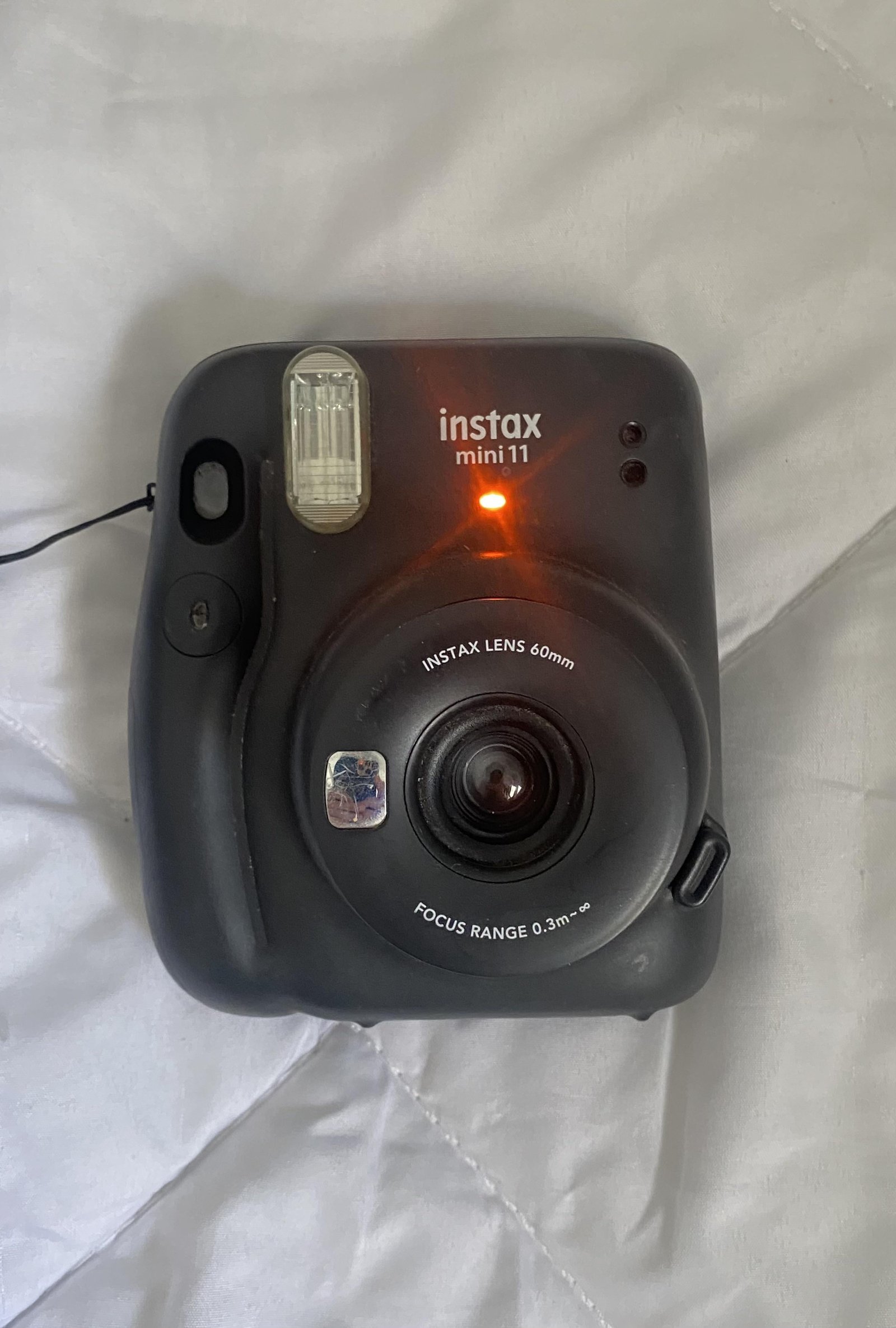
An instax orange light blinking on your camera usually means the battery level is low. This signal shows the camera lacks enough power to advance film or fire the flash. You should replace the batteries with fresh, high-quality alkaline cells to restore function.
What the Instax orange light blinking means
| What you notice | What it usually means | What to do first |
|---|---|---|
| Orange light blinks slowly | Battery power is low | Replace both batteries |
| Orange light stays solid | Flash is charging | Wait five seconds |
| Rapid blinking orange | Motor error or jam | Open film door |
| Light blinks during shot | Voltage drop under load | Use fresh batteries |
| No light at all | Dead batteries | Check battery orientation |
| Blinking after new batteries | Poor battery contact | Clean metal terminals |
If the light blinks during a shot, your batteries are failing to provide the peak current needed for the shutter. Many users mistakenly assume the batteries are fine because they still power the light, but the motor draw is much higher. If you see this, stop immediately to avoid a jammed film pack.
When checking for dead batteries, look closely at the polarity symbols. Inserting a single cell backward is a common error that prevents the circuit from completing. If the camera remains unresponsive, use a pencil eraser to gently scrub the metal contacts. Corrosion or oil from your fingers often creates enough resistance to mimic a dead battery.
In this case, don’t force the shutter. Turn the device off and wait one full minute before trying again.
Power depletion from old batteries
The most common cause of a blinking orange light is simply that your batteries have reached the end of their charge. These cameras use a high amount of current to charge the internal flash capacitor and drive the film motor. When the battery voltage drops below the threshold required for these operations, the camera alerts you with a blinking light. You can confirm this by removing the batteries and checking them with a multimeter or simply swapping them for a brand-new, name-brand pair. If the light stops blinking immediately after the swap, you have solved the problem.
People often make the mistake of mixing old batteries with new ones. This is a costly error because the older, weaker battery will drain the power from the new one, causing the camera to fail again within a few shots. Always replace the entire set at once. If you’re using rechargeable batteries, note that these often have a different voltage curve than standard alkaline cells, which can sometimes trigger the low-battery warning even when they’re partially charged. This varies by model — check the label inside your battery door for the specific type recommended by the manufacturer. If you find the camera still blinks after using fresh, non-rechargeable alkaline batteries, you should consult the official Fujifilm support center for specific troubleshooting steps for your device model.
Internal flash capacitor failure
The orange light can also blink if the flash capacitor can’t hold a charge. This component must store high-voltage electricity to produce a bright burst of light. If the capacitor is failing or the electrical path is blocked by corrosion, the camera will never reach the “ready” state. You can distinguish this from low batteries because the flash will either never fire or produce a very dim image, even if the batteries are brand new.
If you suspect this issue, leave the camera turned on for two minutes. If the light continues to blink without stopping, the internal electronics are unable to complete the charging cycle. A common mistake is assuming the unit is simply “slow,” but a healthy capacitor should charge in under ten seconds.
This isn’t a user-serviceable issue. If you attempt to open the casing, you risk electric shock from the energy stored in the capacitor. You’ll also void your warranty instantly.
If the camera is out of warranty, a professional repair shop is the only safe option. Use this decision rule: if the repair quote exceeds 50% of the current market value for a used model, replace the unit instead. Many owners find that parts for older cameras are no longer manufactured, making professional restoration a gamble rather than a guaranteed fix.
Mechanical film obstruction
Sometimes the blinking orange light indicates a jam in the film advancement mechanism rather than a power issue. The camera’s processor monitors the motor speed; if it detects too much resistance while trying to eject the film or move the rollers, it stops the process to prevent damage. You can tell this apart from the other two causes by listening to the camera. If you hear a grinding or clicking sound when you press the shutter, the problem is mechanical.
This isn’t for someone who isn’t comfortable with small, delicate plastic parts. The most common mistake here is forcing the film door open while the motor is still trying to cycle. This can strip the internal gears and turn a minor jam into a permanent failure. If you see a piece of film stuck in the rollers, you may be able to gently pull it out with plastic tweezers, but never use metal tools. If the rollers are blocked by debris or a broken gear, the camera won’t function. If you can’t see the obstruction clearly, stop immediately. Attempting to force the mechanism will likely break the internal sensor, which makes the camera impossible to repair.
When to stop and get help
Smoke or burning smell: Stop using the camera immediately and remove the batteries. This indicates a short circuit that can melt internal plastic housing or fry the motherboard in under thirty seconds.
Leaking battery acid: If you see white or blue crust on the battery terminals, don’t touch it with bare skin. This alkaline residue causes chemical burns. Use a cotton swab dipped in white vinegar to neutralize the area, but if the corrosion has spread to the internal wiring, the camera is likely beyond a home fix.
Internal rattling sounds: If you shake the camera and hear loose parts, an internal component has likely snapped off its mount. Continued use will cause this loose screw or plastic shard to jam the shutter mechanism, turning a simple repair into a total loss.
Persistent motor grinding: If the motor makes a loud, mechanical noise without ejecting film, stop immediately. This usually signals stripped plastic gears.
If you encounter these signs, seek professional help. Never disassemble the device.
Frequently asked questions
Can I use rechargeable batteries in my camera?
Yes, you can use rechargeable batteries, but they may trigger the low-battery warning sooner than standard alkaline batteries. Rechargeable cells often have a lower nominal voltage, which the camera might interpret as a weak charge. If you use them, ensure they’re fully charged and designed for high-drain devices. If the blinking persists, try a fresh pair of high-quality, non-rechargeable alkaline batteries to verify if the issue is the battery type.
How long do batteries usually last?
Battery life varies by model, but most instax cameras can handle about 100 shots per set of batteries. This assumes you’re using high-quality alkaline batteries and not using the flash for every single frame. If you frequently use the flash in dark environments or leave the camera turned on for long periods, your battery life will be significantly shorter. Check your specific camera’s manual for the exact expected yield.
Is it safe to leave batteries in the camera?
No, you shouldn’t leave batteries in your camera during long periods of inactivity. Batteries can leak chemicals over time, especially in humid environments, which may corrode contacts and damage internal electronics. If storing your camera for more than a month, always remove the batteries to prevent potential damage.
Why does the light blink after I put in new batteries?
This usually happens because the battery contacts are dirty or the new batteries aren’t seated correctly. Check the battery compartment to ensure the positive and negative ends match the diagram inside. If the orientation is correct, use a dry, clean cloth to wipe the metal contact points inside the battery bay. Sometimes a thin layer of oxidation prevents the camera from getting enough power, causing the warning light to remain active.
What happens if I ignore the blinking light?
If you ignore the blinking light, the camera will eventually stop working entirely. The flash will fail to charge, which means your photos will come out completely black or severely underexposed. In some cases, the film motor will lack the torque to eject the photo, leading to a film jam. It’s better to replace the batteries as soon as the light starts blinking to ensure your film isn’t wasted.
Does the temperature affect the blinking light?
Yes, extremely cold temperatures significantly reduce the capacity of your batteries and can cause the orange light to blink. Chemical reactions inside the batteries slow down in the cold, lowering the voltage available to the camera. If you’re shooting outdoors in winter, keep your camera and spare batteries inside your coat pocket to keep them warm. This keeps the internal resistance low and helps the camera function as expected.
Final Thoughts
Once your camera is powered up and ready, you shouldn’t hesitate to start capturing new memories. Keep a spare set of batteries in your bag whenever you head out for a shoot. You’ll be glad you did, as it’s the best way to ensure you never miss that perfect, spontaneous shot.


