
You can fix your jandy pool lights not syncing by power cycling the system to force a reset of the light controllers. This issue usually happens because the internal microprocessors in the lights have fallen out of sequence due to a power fluctuation or a timing error during the last mode change. When the lights lose their handshake with the control system, they will display different colors or flash at different intervals. Performing a hard reset clears these buffers and allows the controller to regain command of the light strings.
Reasons your Jandy pool lights aren’t syncing
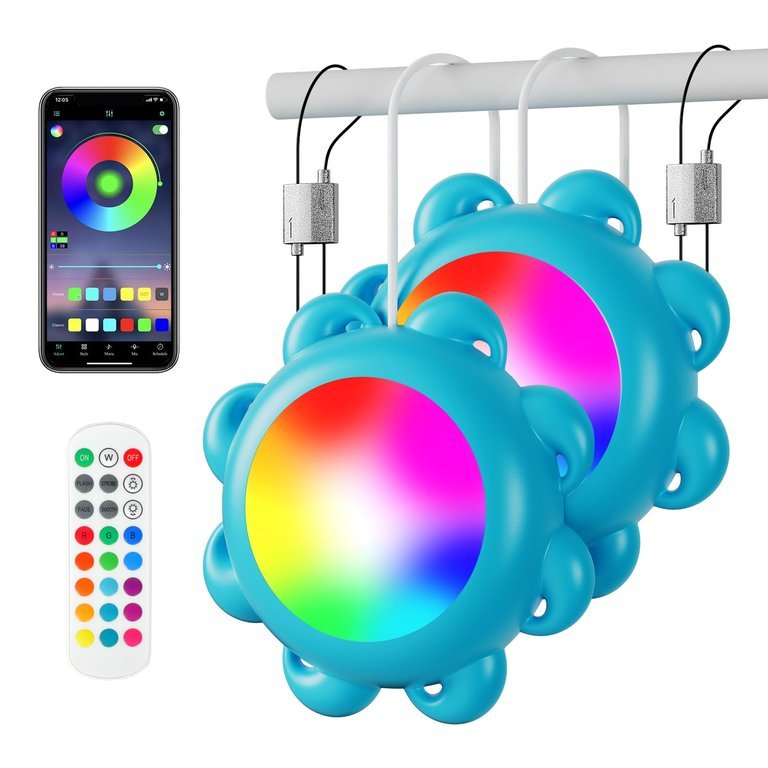
The main reason for this failure is a disruption in the communication protocol between the pool controller and the light fixtures. These lights often rely on a specific sequence of power interruptions, known as power-toggling, to cycle through color modes. If one light in the chain misses a signal—perhaps due to a loose wire connection or a slight voltage drop—it will fall out of sync with the others.
Another common cause is an aging transformer. As transformers degrade, they may output inconsistent voltage. If the voltage is too low, the light’s internal logic board may fail to register the power cycle command correctly. This varies by model — check the label on your transformer to ensure it’s providing the correct output voltage for the number of lights you have connected.
Additionally, you might have a “slave” light that has a corrupted firmware address. This happens if the light was installed or replaced without properly clearing the existing system memory. If you recently added a new light to an old system, the controller might not recognize the new device’s timing signature. If your system uses a Jandy AquaLink, you should consult the official Jandy technical documentation to verify that your firmware version supports the specific LED light model currently installed in your pool wall.
Perform a hard power reset
This fix is for owners who notice lights changing colors at different times or showing different modes entirely. It’s the safest first step because it doesn’t require opening the light housing or touching electrical wiring.
To perform the reset, turn off the pool light circuit at the main breaker panel for exactly sixty seconds. After the minute has passed, flip the breaker back on. Immediately go to your control panel and select the “Service” mode, then toggle the light circuit on and off three times in rapid succession. This sequence tells the lights to return to their default home state.
If the lights are now in sync, you’re finished. If they remain offset, wait for the lights to turn solid white, then cycle the power once more to start from a clean baseline. If you have more than four lights on a single circuit, this process may take two or three attempts, as longer cable runs can cause slight signal delays. If this doesn’t work, don’t attempt to bypass the controller, as this can damage the light’s internal circuitry. This isn’t for anyone who doesn’t feel comfortable working near a breaker panel; if you’re unsure, call a licensed pool electrician.
Inspect the wiring connections
If the power reset fails, you likely have a physical connection issue at the junction box. This fix is for those who are comfortable opening a waterproof junction box near the pool deck.
First, turn off the main power at the breaker. Open the junction box and inspect the wire nuts or terminal blocks where the light cables connect to the transformer feed. Look for signs of corrosion, such as green or white powder on the copper strands. Corrosion creates high resistance, which interferes with the signal pulses sent by the controller. If you see oxidation, cut back the wire to fresh, clean copper and reconnect it using new, waterproof wire nuts filled with silicone sealant.
A common mistake is using standard indoor wire nuts in a pool junction box; these allow moisture to seep in, which causes intermittent signal loss. Using the correct waterproof connectors prevents this. Once the connections are clean and tight, close the box and repeat the power cycle method mentioned in the previous section. If the wires are brittle or the insulation is cracked, don’t try to patch them with electrical tape. You must replace the entire cable run to ensure the integrity of the signal, which is a job for a professional technician.
Replace the light controller module
This is the fix for harder cases where the lights work but remain permanently out of sync regardless of how many resets you perform. This usually indicates that the control board inside the light housing or the external controller is failing.
Only choose this option if you have already verified that your power supply is stable and all connections are clean. Replacing a control module involves draining the pool water level to access the light niche, which carries a risk of flooding the niche or damaging the waterproof seal. If you haven’t done this before, it’s safer to hire a pool professional who has the specialized tools to pressure-test the housing after installation.
If you decide to do it yourself, ensure you purchase the exact replacement part number matching your current light fixture. Mismatched modules will never sync properly, regardless of the settings. Once the new module is installed, you’ll need to re-program your control system to recognize the new device address. If the lights still don’t sync after a module replacement, the issue may be a faulty main control board in your pool automation system. At that point, stop all DIY efforts and contact a certified automation specialist, as testing circuit boards requires specialized equipment that most homeowners don’t own.
What not to do
Don’t leave the lights on while attempting a reset. The controller can’t register the “off” signal required to reset the internal clock if the circuit remains energized.
Don’t try to force the lights into sync by rapidly clicking the switch hundreds of times. This repetitive surge can overheat the transformer and blow the internal fuse, turning a simple sync issue into a total hardware failure. If your lights don’t respond after three deliberate clicks, stop. You’re likely dealing with a faulty receiver rather than a timing error.
Don’t spray water or use cleaning chemicals inside the junction box. This destroys the delicate electrical contacts and creates an immediate shock hazard. If the box is dirty, use only a dry, static-free brush.
Don’t attempt to open the sealed LED light housing. It’s factory-sealed to maintain an IP67 waterproof rating. Opening it voids your warranty and ruins the seal, ensuring that moisture will corrode the diodes within weeks.
How to stop it happening again
Consistent maintenance of your power supply and connections prevents most syncing issues before they start.
| If you’re doing this | Do this instead | Why |
|---|---|---|
| Ignoring loose wires | Tighten connections annually | Prevents signal resistance |
| Using indoor wire nuts | Use silicone-filled nuts | Stops moisture-based corrosion |
| Rapidly toggling switches | Use the control panel menu | Ensures clean, timed pulses |
| Ignoring transformer heat | Check for proper airflow | Prevents voltage drops |
Frequently asked questions
Can I fix jandy pool lights not syncing by myself?
You can fix most syncing issues by performing a hard power reset at the breaker or cleaning the junction box connections. These steps resolve communication errors caused by power fluctuations. Contact a professional if you lack electrical experience or need to drain the pool.
Why do my pool lights keep losing their sync?
Lights lose sync because they miss timing signals sent by your control system. This typically occurs due to voltage drops, loose wires, or aging transformers. These issues cause microprocessors to reset or skip beats, eventually leading to color drift.
How long does a hard reset take?
A hard reset requires turning the power off for a few seconds to allow the controller to cycle. This duration allows the capacitors inside the light controllers to fully discharge their stored energy. Ensure the power remains off long enough for the system to fully power down.
Is it safe to open the light junction box?
It’s safe to open the junction box only after turning off the power at the main breaker. Always verify that no current is flowing using a non-contact voltage tester before touching connections. Don’t attempt repairs if you see water damage, frayed wires, or corrosion.
What happens if I ignore the syncing issue?
Ignoring sync issues can lead to a permanent loss of control over your lighting. Persistent signal errors may cause internal logic boards to overheat or fail entirely. Addressing these problems early prevents the need for costly full-fixture replacements.
Final Thoughts
If your lights still don’t match after this reset, check your electrical connections for any signs of corrosion or moisture. Sometimes a loose wire causes intermittent signal drops that a simple reboot can’t fix. It’s worth inspecting the junction box, as you’ll want to ensure everything stays dry and secure.
Related guides


