
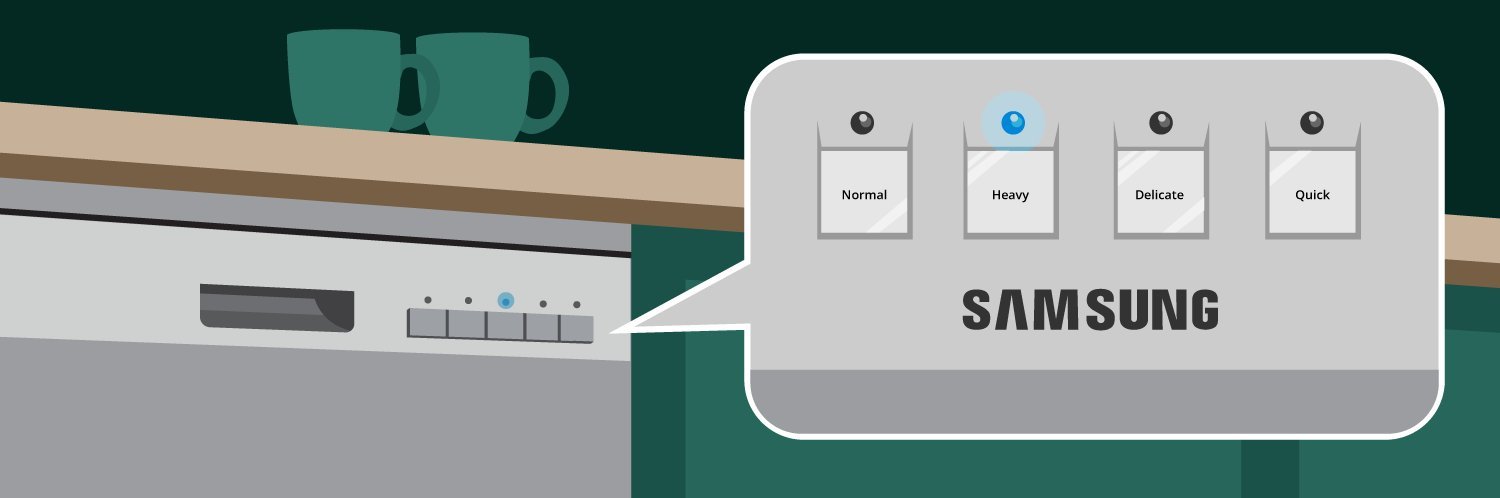
A Samsung dishwasher heavy light blinking typically indicates that the control board has detected a water leak or a drainage issue. You can continue to use the appliance only after you have confirmed there’s no active water leak causing damage to your floor or electrical components. To perform the primary check, pull the dishwasher out from under the counter and inspect the base pan for any standing water. This simple step confirms if the internal float switch has been triggered by a leak, which is the most common cause of this specific error code.
Why your Samsung dishwasher heavy light blinking occurs
| What you notice | What it usually means | What to do first |
|---|---|---|
| Heavy light flashes | Internal leak detected | Check base pan |
| Light blinks after cycle | Drainage pump failure | Clean filter screen |
Detection of internal moisture
The most common cause for this blinking light is water collecting in the bottom tray of the unit. Samsung dishwashers have a sensor in the base pan designed to stop the machine if a leak occurs. This prevents water from damaging your kitchen floor or reaching electrical parts.
To confirm this is your problem, turn off the power at your home circuit breaker. Carefully pull the unit out from the cabinet and look into the bottom tray for standing water. If you see water, you must find the source of the leak, which is often a loose hose clamp or a cracked seal.
If the pan is dry, the sensor itself may be stuck in the “up” position due to debris. You can gently push the float switch down to see if it moves freely. If it feels stuck or damaged, the switch needs a replacement.
A common mistake is assuming the machine is broken when the sensor is merely dirty. If you see mineral buildup or food particles around the float, clean the area with a soft brush. This simple step often restores functionality without requiring a technician.
After you clear the water and ensure the float moves, reset the power. If the light stops blinking and the machine starts a cycle, you have fixed the issue. If you find significant water, check the Samsung dishwasher support page for specific guidance on identifying leak points. This assumes a standard installation; if you have a custom panel or tight cabinet fit, you may need a second person to help move the unit safely.
Obstructions in the drainage path
A second cause for the heavy light blinking is a failure in the drainage system, which prevents the unit from emptying properly. When the machine can’t clear water within its programmed time limit, the control board triggers the blinking light as a safety warning.
To check for this, open the door and remove the bottom rack. Locate the filter assembly, usually found at the center of the tub floor, and twist it to remove it. Inspect the area beneath the filter for food scraps, glass, or plastic debris that might be blocking the drain pump.
Even a small amount of debris, such as a toothpick or a broken piece of plastic, can prevent the impeller from spinning. Remove any items you find and rinse the filter under warm water to clear grease buildup. Once the path is clear, replace the filter and run a short rinse cycle. If the machine completes the cycle without the light returning, the blockage was the culprit.
This assumes the drain hose under your sink isn’t kinked or clogged. If the filter is clear but the light persists, detach the hose at the garbage disposal. Look for a buildup of organic matter or a plastic knockout plug that was never removed during the initial installation.
Distinguishing this from a leak is simple. If the tub is empty of water, the issue is likely a sensor or board error. Conversely, standing water in the tub points directly to a drainage obstruction. If you see water, don’t replace the control board yet. You must first ensure the pump isn’t air-locked by clearing the line entirely.
Control board communication errors
The third cause involves a temporary glitch in the electronic control board. This can happen after a power surge or a brief interruption in electricity. Unlike a mechanical leak or a physical drain block, this is a software-based error.
To tell this apart from the other causes, look for the blinking light immediately after you turn the unit on, even if the tub is perfectly dry and the drain path is clear. If the error appears before the motor engages, the board is likely misreading the internal sensor data.
To fix this, perform a hard reset. Turn off the power at the circuit breaker for at least 10 minutes. This allows the capacitors on the control board to fully discharge. Don’t simply turn off the unit at the wall switch, as this often leaves the board in a standby state that retains the error.
After the time has passed, flip the breaker back on and try to start a cycle. If the light stops blinking, the system has successfully rebooted. If the light starts blinking again as soon as you press the start button, the board may have a permanent internal failure.
This assumes your home power supply is stable; if you experience frequent power flickers, consider using a surge protector for the appliance. This varies by model—check the label on the side of your door for the specific model number. Some units require a specific button combination to clear error codes rather than a simple power reset. If your model manual lists a “factory test mode,” use that sequence to confirm if the board can still communicate with the sensors.
When to stop and get help
Visible sparks or burning smell: Stop immediately and leave the power off. This indicates a severe electrical short that poses an immediate fire risk. Don’t attempt to restart the unit until a professional inspects the internal wiring.
Water leaking onto the floor: Close the water supply valve under the sink to prevent property damage. A steady drip suggests a failed seal or a burst hose. If the floor is already saturated, turn off the main water line to the house before inspecting the area.
Damaged power cord: If the cord shows signs of melting or exposed wires, don’t touch it. Contact a qualified appliance technician. A frayed cord can deliver a fatal shock even if the machine is currently turned off.
Persistent blinking after all checks: If you have cleared the drain and verified the unit is dry but the light returns, the control board likely needs professional testing. A reset that fails after two attempts confirms an internal logic error.
Capacitor safety: Never attempt to open the control housing. A capacitor can hold a charge after the unit is unplugged. Touching these components can cause cardiac arrest.
Frequently asked questions
Can I run a cycle while the light is blinking?
No, you shouldn’t run a cycle while the light is blinking because the dishwasher has entered a safety lockout mode. This mode is designed to prevent further damage to the motor, pump, or your kitchen floor. Running the unit while it’s in an error state will likely result in the cycle stopping prematurely or failing to drain, which could lead to flooding or overheating the pump motor.
How long does a hard reset take?
A hard reset takes about 10 minutes to complete. Leave the circuit breaker turned off for a few minutes to allow the control board to reset. If you turn the power back on too early, the memory on the control board may retain the error code, and the blinking will continue. Always wait the full time to ensure a successful reset.
Is it safe to leave the dishwasher plugged in?
Yes, it’s safe to leave the dishwasher plugged in while you perform these checks, provided you have turned off the circuit breaker in your home’s electrical panel. The breaker is the primary safety switch that cuts power to the entire unit. Never rely on the dishwasher’s own “off” button, as this doesn’t disconnect the internal components from the main electrical supply.
What happens if I ignore the blinking light?
Ignoring the blinking light can lead to a complete failure of the drain pump or a major water leak inside your cabinetry. The light is a diagnostic signal intended to save you from more expensive repairs later. If you ignore it, you risk burning out the drain pump motor or causing water damage to the subfloor under your dishwasher, which is often much harder to fix than a simple clogged filter.
Does the blinking pattern indicate the specific problem?
Yes, some Samsung models use specific blinking patterns to identify different errors, but these vary significantly by model version. You should check the user manual or the official Samsung support website for your specific model number to see if your unit uses a specific “error code” sequence. If your manual doesn’t list codes, the blinking is a general indicator that the machine has detected a fault and stopped.
How do I check if my drain hose is kinked?
You can check for a kinked hose by looking behind the dishwasher or under your sink where the hose connects to the plumbing. A kinked hose restricts water flow, which causes the machine to trigger the drainage error. If you see a sharp bend in the hose, gently straighten it out and ensure it has a smooth path to the drain. This often resolves the blinking light immediately.
Final Thoughts
If the base pan is dry and the flashing persists, there might be a glitch in the control panel’s software. You shouldn’t worry too much, as a quick power reset often clears the error. If that doesn’t help, it’s best to call a professional technician to inspect the internal wiring for you.
Related guides


