
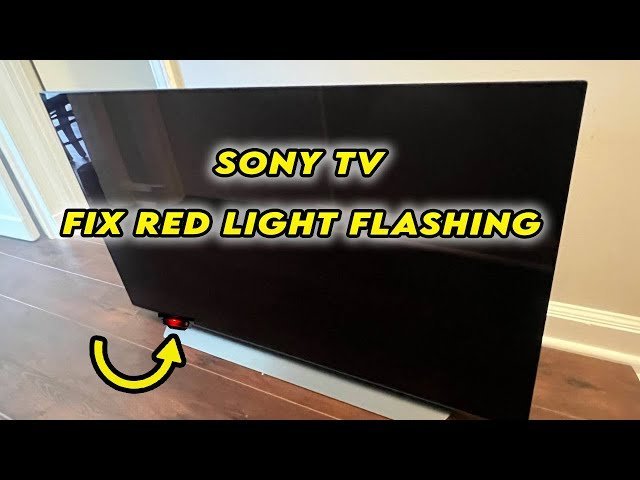
A Sony TV red light blinking usually indicates a hardware failure or protection mode trigger, which you can often resolve with a simple power reset. This light acts as a diagnostic code; if it flashes a specific number of times, it identifies the failed component. Unplug the television for two minutes to clear the memory. If the error persists, check your Sony Support troubleshooting guide to interpret the blink count for your model.
Common reasons for the blinking light
| Cause | How common | How to confirm it | Fix it yourself? |
|---|---|---|---|
| Overheating | Very common | Feel for excess heat | Yes with care |
| Power surge | Common | Check outlet/cables | Yes |
| Software glitch | Common | Try power cycle | Yes |
| Main board fault | Uncommon | Check blink pattern | No |
| Backlight failure | Rare | Dark screen/blinks | No |
| Power supply unit | Rare | No power/blinks | No |
Overheating is the most frequent culprit, especially in enclosed entertainment centers. If the unit is hot to the touch, clear the vents and wait thirty minutes before restarting.
Power surges often trip internal breakers. If your device remains unresponsive, test the outlet with a lamp. If the lamp works, the TV’s power supply unit has likely entered a protection mode due to an internal fault.
Software glitches typically manifest as a frozen screen or unresponsive remote. A hard power cycle—unplugging the unit for a full minute—clears the temporary cache.
Main board faults are distinct because the device usually communicates through a specific LED blink pattern. Count the flashes and compare them against the manufacturer’s manual.
Backlight failures are often misdiagnosed. Shine a flashlight at an angle against the screen while the unit is on. If you see a faint image, the backlight is dead, requiring a professional repair. Never attempt to replace this component yourself due to the high-voltage capacitors involved.
Overheating and airflow blockage
Overheating is the most frequent reason for a Sony TV to enter protection mode. When the internal sensors detect temperatures above the safe operating threshold, the TV shuts down to prevent permanent damage to the processor or the liquid crystal panel. You can easily confirm this by checking if the ventilation slots are covered by dust or if the unit is trapped in a tight cabinet with poor air circulation.
To fix this, first unplug the television and let it cool down for at least thirty minutes. Use a can of compressed air to gently blow out dust from the back vents. If you have the TV mounted on a wall, ensure there’s at least four inches of space between the back of the set and the wall to allow heat to escape. If you keep the TV in an enclosed entertainment center, you must move it to an open area. If the light continues to blink after the unit is cool and clean, the sensor itself may be damaged. This isn’t a task for an average user, as it requires opening the casing and testing the thermal sensor with a multimeter. If the blinking persists, contact a professional technician for a component-level repair.
Power supply and electrical issues
A power surge or an unstable connection often causes the power supply unit to trip its internal breaker. You can tell this apart from overheating because it usually happens immediately after a storm or when you turn the TV on, rather than after hours of use. Check if the power cord is loose or if you’re using a damaged power strip.
Start by removing the TV from any surge protector or extension cord and plugging it directly into a wall outlet. If the TV turns on, your power strip was likely the source of the fault. If it still blinks, perform a hard reset by holding the power button on the TV chassis for thirty seconds while the device is unplugged. This drains the capacitors on the power board. If the TV still fails to start, the power supply board likely has a blown capacitor or a failed diode. Replacing this board requires removing the back panel and handling high-voltage components. If you don’t have experience with electronics, don’t open the back cover. The risk of electric shock is high even when the TV is unplugged, as the capacitors can hold a charge for a long time. If the reset doesn’t work, it’s time to call a certified repair shop.
Main board and firmware errors
A main board failure occurs when the central processing unit can’t complete its boot sequence. You can distinguish this from power issues because the blinking often follows a specific rhythm—like six flashes, a pause, and then six more flashes—which corresponds to a code in the service manual.
To troubleshoot this, check if your TV is running the latest firmware. If you can get into the menu before it shuts off, navigate to the system update section. If the TV doesn’t stay on long enough, you can’t perform a software update yourself. If you’re comfortable with technology, you can sometimes force a firmware update using a USB drive formatted with the update file from the Sony website. Insert the drive into the USB port, hold the power button, and plug the TV into the wall. If the light changes color or the TV starts, the firmware was the issue. If the TV doesn’t recognize the USB, the main board is likely faulty. This is a complex repair that involves replacing the motherboard. This isn’t for everyone; if you lack experience with delicate ribbon cables, take the unit to a service center.
The less likely causes
- Backlight inverter failure: The TV turns on for a split second then shuts down, which usually means the LED strips or the inverter board are failing.
- Video cable interference: A damaged HDMI cable can sometimes trigger a communication error; swap your cables to rule this out.
- Loose internal ribbon cables: Vibration over time can cause internal connections to wiggle free, which requires a professional to open the casing and reseat the connectors.
- Failed panel driver: The display panel itself may have a short circuit, which is a total loss for most models because the cost of a new panel exceeds the cost of a new television.
What a fix usually involves
Fixing a blinking Sony TV usually involves either a simple reset or a hardware replacement. A power reset costs nothing but your time, typically requiring less than five minutes of effort. If the issue is a failed board, a repair involves purchasing a replacement part and the labor cost of a technician. A replacement power board or main board is a small part, but the price depends on the age and size of your specific model. You can find the exact part number by looking at the sticker on the back of your television.
To get a real quote, take that model number to an authorized Sony service center. Avoid buying parts from unverified online sellers, as they often sell used or refurbished boards that may fail again quickly. Always check the official website for your model’s documentation before deciding if a repair is worth the expense. If the cost of the labor and the part is more than half the price of a new, comparable television, buying a new unit is usually the smarter financial decision.
Frequently asked questions
Can I fix a blinking red light by myself?
Yes, you can fix many power-related issues by performing a hard reset. Unplug the TV from the wall, wait two minutes, and plug it back in. If the light continues to blink, it indicates a hardware fault that requires professional service. Don’t attempt to open the back panel unless you have experience with high-voltage electronics, as this can be dangerous and voids your warranty.
Why does my Sony TV blink six times?
Six blinks usually indicate a communication error between the main board and the backlight inverter. This often means the backlight LEDs are drawing too much power or have failed completely. You should check if the TV has any warranty left before attempting any repairs. If the warranty is expired, contact a local repair shop to get an estimate for replacing the backlight inverter or the LED strips.
How long does a Sony TV repair take?
If the repair shop needs to order a specific motherboard or power board, you may wait a week or more for the part to arrive. Always ask the technician for an estimated timeline before you leave your television at their shop to ensure it fits your schedule.
Is it safe to keep using a TV that blinks?
No, it isn’t safe to use a television that’s flashing a red light. This light is a safety signal designed to prevent the TV from overheating or causing an electrical fire. Continuing to force the TV to turn on can cause further damage to the internal components, turning a simple, cheap repair into a complete failure of the device.
What happens if I ignore the blinking light?
If you ignore the light and keep trying to power the TV, you risk permanent damage to the main processor or the power supply. The TV will eventually stop turning on entirely, and you’ll lose the chance to perform a simple reset. It’s much better to address the blinking immediately to save money and potentially extend the life of your television.
Does it matter which outlet I use?
Yes, you should always plug your TV directly into a wall outlet to rule out issues with power strips. Surge protectors can degrade over time and may not provide the consistent voltage required by modern LED televisions. If the TV works when plugged directly into the wall, your surge protector is likely failing and should be replaced with a new, high-quality unit.
Final Thoughts
If these basic steps don’t get your screen back to normal, it’s time to contact a professional technician. Don’t worry if you can’t fix it yourself; a certified repair person can safely inspect the internal parts. They’ll help you decide if a simple repair is worth it or if it’s time for an upgrade.
Related guides


