
A TCL Roku TV light blinking usually indicates a power supply issue or a software communication error, so you should unplug the unit immediately. Don’t attempt to open the television case, as the internal capacitors can hold a lethal electrical charge even after you pull the power cord from the wall.
If the screen is black and the light pulses, your first step is to perform a hard power cycle by holding the physical power button for 30 seconds while the unit is unplugged. This drains residual energy from the main board.
If the light flashes in a specific pattern, note the exact number of blinks before calling for professional support. A repeating sequence of three blinks often points to a backlight inverter failure, while a continuous, rapid strobe suggests a corrupted firmware boot loop.
Never ignore a burning smell or popping noise coming from the back panel. These signs indicate a component failure that requires immediate professional repair to prevent a potential fire hazard.
Do this first
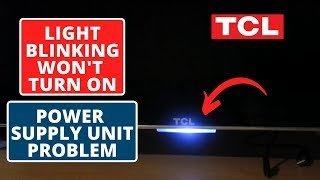
Unplug the power cable from the wall outlet and wait exactly 60 seconds to allow the internal capacitors to discharge fully.
Check the power cord for any visible fraying, heat damage, or loose connections at both the wall outlet and the TV port. A loose connection here is the most common cause of intermittent power failure. If the cable feels warm to the touch, replace it immediately to prevent a fire hazard.
Plug the power cable directly into a known working wall outlet, bypassing any power strips, surge protectors, or extension cords. Many surge protectors fail silently, providing power to indicator lights while failing to deliver the amperage required to boot the TV’s processor.
Press and hold the physical power button on the TV chassis for 15 seconds while the unit remains unplugged to drain residual electricity.
Reconnect the power cable and watch the standby light. If the light flashes in a rhythmic pattern, count the blinks. This is an error code that dictates your next repair step. If it remains solid, attempt to boot to the Roku home screen.
Why is my TCL Roku TV light blinking?
The internal power supply board is the most common source of a tcl roku tv light blinking. Modern LED televisions use a switched-mode power supply that converts high-voltage AC current from your wall into the low-voltage DC current required by the mainboard and the backlight strips. When this board detects a short circuit, a failing capacitor, or a voltage drop, it enters a protective state. The blinking light is a diagnostic code generated by the mainboard to signal that the power rails aren’t providing the correct voltage.
The mainboard monitors the current draw of the LEDs; if one strip fails, the board shuts down the power supply to prevent further damage. If the light flashes once or twice and then stays dark, the mainboard itself might be failing to initialize the boot sequence. You can verify your specific model’s diagnostic codes on the official TCL support documentation, which provides the exact blink-count meanings for different series.
This varies by model — check the label on the back of your unit for the serial number and firmware version. If you have a newer 4K model, the power requirements are higher, and a failing power strip can cause the TV to cycle because it can’t provide the necessary amperage during the startup phase. If the TV stays on for a few seconds before the light begins blinking, the issue is almost certainly a hardware component failing under load. If the light blinks immediately upon plugging it in, the fault is likely in the standby power circuit.
Check these, cheapest first
Test wall outlet
Plug a lamp or a phone charger into the same wall outlet to ensure it provides steady power. If the lamp flickers or stays off, the problem is your home wiring, not the television.
Remove external devices
Unplug every HDMI cable, USB drive, and antenna from the back of the TV. A faulty HDMI cable can sometimes create a feedback loop that tricks the mainboard into a protection mode.
Inspect remote batteries
If the light blinks when you press a button on the remote, the remote might be sending a constant signal. Remove the batteries from the remote to see if the blinking stops.
Verify power cables
Ensure the power cord is pushed firmly into the TV port. A loose connection causes intermittent power, which the TV interprets as a critical fault.
Check for heat
Feel the back of the TV for excessive heat. If it feels hot to the touch, the internal cooling might be failing, causing the unit to shut down to prevent fire.
The fix
If the hard power cycle doesn’t restore the picture, the most likely cause is a failed power supply board or a backlight strip issue. You can attempt a factory reset if the TV stays on long enough to reach the settings menu, but this is rarely a permanent fix for hardware-level blinking.
The typical repair involves replacing the power supply board, which is a modular component connected by ribbon cables. If you’re comfortable working with electronics, you must match the exact part number printed on your power supply board to a replacement unit. Don’t rely on the TV model number alone, as manufacturers often use three different power board versions in the same production year.
If you replace the board and the light still blinks, the backlight strips inside the screen are likely the culprit. This is a complex repair that requires removing the heavy glass LCD panel, which is fragile and prone to cracking. Most DIYers make the mistake of using standard screwdrivers that strip the delicate internal housing screws; use a precision kit to avoid permanent damage.
A successful repair is confirmed when the TV boots to the Roku home screen and stays on for more than 10 minutes without cycling or flashing. If the problem returns within a week, it indicates that the new part is also failing or that the mainboard is sending incorrect voltage signals to the other components. If the TV blinks in a specific pattern—such as three flashes followed by a pause—consult the manufacturer’s service manual to isolate the exact voltage rail failure. If you lack a multimeter to test these rails, stop the repair, as guessing the faulty component often leads to shorting the mainboard.
Where this stops being a DIY job
You must stop all DIY efforts if you need to remove the screen panel or handle the high-voltage backlight inverter. These components carry a risk of electrical shock, and the glass panel is extremely expensive to replace if it breaks during handling.
Contact a certified television repair technician or the manufacturer’s authorized service center for these tasks.
They will first use a multimeter to test the power rails on your board to confirm if it’s delivering the correct voltage. This step saves you from buying unnecessary parts. Many homeowners mistakenly replace a functional power supply board when the issue is actually a failed capacitor or a blown fuse on the mainboard.
Don’t attempt to solder components on the boards yourself. The heat can permanently damage the sensitive, multi-layered traces that connect your chips. If you see a “burnt” smell or visible charring on the board, the damage is already too deep for a simple swap. At that point, the board must be professionally refurbished or replaced entirely to prevent a fire hazard.
Frequently asked questions
Can I reset my TV if it won’t turn on?
No, you can’t perform a factory reset if the TV doesn’t boot to the menu. The reset button on the back of some models only clears temporary settings and won’t bypass a hardware-level power fault.
Is it safe to leave the TV plugged in?
No, it isn’t safe to leave a device that’s showing a power fault plugged into the wall. Unplug it to prevent potential electrical damage to your home wiring or a fire hazard.
How long should the repair take?
This includes opening the case, swapping the board, and testing the connections before closing the back panel.
Does it matter if I use a different power cord?
Yes, it matters because the cord must be rated for the specific amperage of your TV model.
What happens if I ignore the blinking light?
The TV will eventually stop turning on entirely. Continued use while the power supply is failing can lead to permanent damage to the mainboard and the expensive LED backlight strips.
Why does the light blink only at night?
It doesn’t blink due to the time of day, but it might blink because of voltage fluctuations in your home’s electrical grid. High-demand appliances, like air conditioners, can cause the voltage to drop, triggering the TV’s protection circuit.
Final Thoughts
If these simple checks don’t resolve the problem, it’s time to contact the manufacturer’s support team. They’ll help you determine if your device is still covered under warranty. Don’t worry if you can’t fix it yourself; getting a professional opinion is the safest way to get your screen working again.
Related guides


